















































What is the Customer Journey?
Who has access to this feature?
Available on: Elite Plans
Access level: All Users
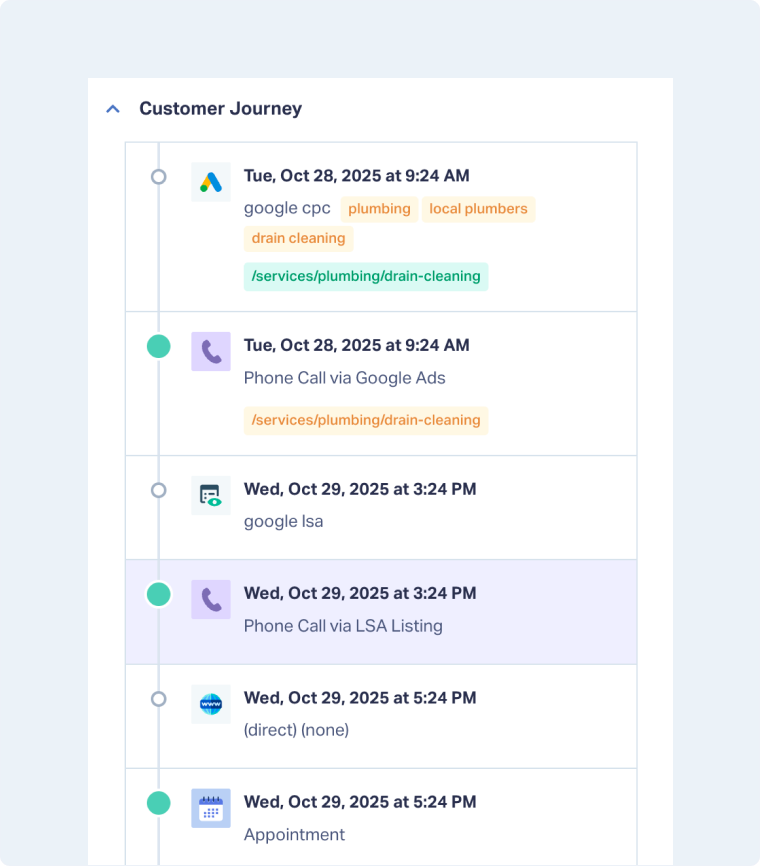
The Customer Journey in WhatConverts gives youcomplete visibility into how leads interact with your marketingfrom the very first click to the final conversion.
Instead of guessing which channels, ads, or campaigns drive results, the Customer Journey connects every step into one timeline. You can see the exact path prospects take to become customers, eliminating blind spots, and showing you where to focus your budget for the highest impact.
With this data, you can move beyond assumptions and makedecisions based on real evidence
Why Use the Customer Journey?
Most marketers rely on assumptions or “last-click” attribution, which hides the real influence of multiple touchpoints. The truth is:
- Buyers rarely convert after a single interaction.
- They engage with multiple ads, pages, and channelsbefore making a decision.
- Without connecting the dots, you risk misallocating budget and undervaluing important marketing channels.
The Customer Journey eliminates this guesswork by giving you adata-driven view of every step that leads take, allowing you to:
- Prove ROI with clear evidence of what works.
- Optimize spendby investing in the channels and campaigns that truly drive revenue.
- Improve lead quality by identifying which touchpoints attract your best customers.
- Build campaigns on real behaviorinstead of assumptions
Understand the Customer Journey
The Customer Journey in WhatConverts is built from two connected elements:Conversion Actions and Attribution Points. Together, they create the complete timeline of how a lead became a customer.
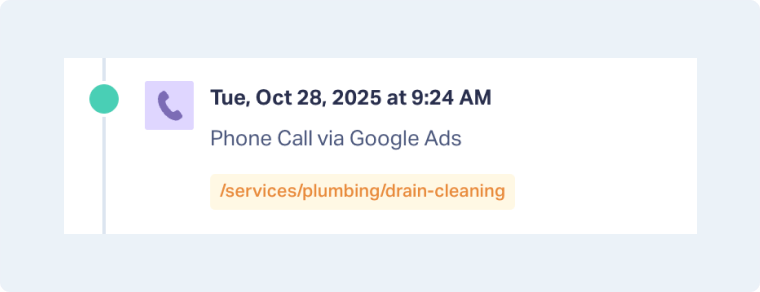
- Conversion Actions: Every lead in WhatConverts represents a conversion action (call, form, chat, appointment, or transaction). Each action shows when and howa prospect engaged with your business (e.g., a phone call, a form submission, or a booked appointment)
- Attribution Points:Behind every conversion action are attribution details that explainwhy and how it happened. These include source, medium, campaign, ad content, keyword, landing page(s) visited, and time. For example:
Google Ads click → Plumbing: Campaign → Local Plumbing: Ad (Content) → Drain Cleaning: Keyword → /services/plumbing/drain-cleaning: Landing Page
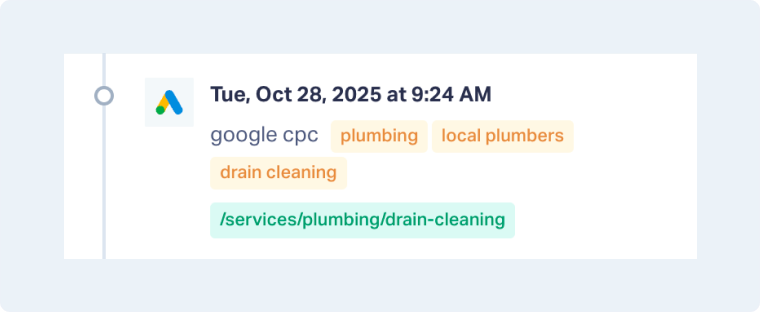
Conversion Actions tell you what happened; Attribution Points explain why it happened. Together, they give you the full story behind every lead.
By linking conversion actions to their attribution points, WhatConverts builds a single journey that shows both the steps a lead took and the marketing influences that drove them.
It doesn’t stop at the first conversion. WhatConverts can connect multiple return visits, devices, and channels into the same journey, giving you a full picture of how marketing touchpoints work together.
Note : For multiple leads or actions to appear in the same Customer Journey, they must share the same lead profile (e.g., email or phone number), and all conversion actions must happen within the defined lookback window.
Common Pitfalls to Avoid
Many marketers fall into these traps when trying to understand customer journeys. WhatConverts eliminates them by automatically connecting the dots for you:
- Looking only at the first or last click. Most tools hide the middle touchpoints. WhatConverts captures every step in between, so you see the full path to conversion
- Ignoring offline conversions. Calls, appointments, and in-person actions are often left out. WhatConverts tracks these alongside digital actions, giving you the true full journey.
- Focusing on volume instead of value. Counting leads isn’t enough. WhatConverts shows which journeys produce quotable, high-revenue leads, helping you prioritize quality over quantity.
Examples of How Businesses Use Customer Journeys
The Customer Journey helps businesses go beyond surface-level attribution and uncover the full story behind their conversions. Here are three common ways companies use it:
- HVAC Company: Measures how long it takes a prospect to convert by tracking every step from the first ad click to the final booked appointment. This reveals the typical decision-making timeline for different services (e.g., emergency repairs converting in hours vs. new system installs taking weeks).
- Dental Clinic: Identifies which landing pages and keywords truly drive conversions. By connecting ads, search terms, and content interactions to booked appointments, the clinic learns which treatments (veneers, implants, whitening) generate the highest-value patients.
- Law Firm: Sees which marketing efforts play into conversions and recognizes common patterns. The firm can connect ads, LSAs, organic visits, and return calls into one journey, highlighting which combinations of touchpoints typically lead to signed cases.
Related Topics
Get a FREE presentation of WhatConverts
One of our marketing experts will give you a full presentation of how WhatConverts can help you grow your business.
Schedule a Demo






