















































Copy Existing Phone Number Settings
Copying existing phone number settings allows you to quickly create a new tracking number with the same configuration as one you've already set up. This saves time when you need multiple numbers with similar settings. Learn more about Call Tracking.
Copy Settings From an Existing Phone Number
Follow these steps to create a new tracking number by copying settings from an existing one.
- In your WhatConverts profile, select "Tracking" from the top menu.
- Select "Calls", then "Phone Numbers".
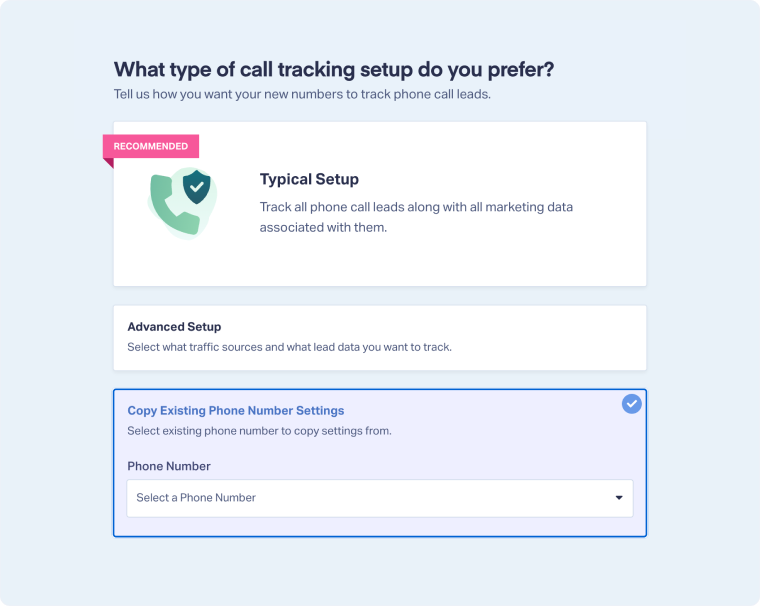
- Click "+ Add Phone Number" and select "Copy Existing Phone Number Settings".
- Select a number from the dropdown of your other tracking numbers. This will copy the setup of the number you select. Click "Next Step".
- Move the slider to "1". Choose the country, phone number type (local or toll-free), and area code. Click "Find Numbers". Review the number and click "Next Step".
- Review and adjust any settings if needed. Once satisfied with your selections, click "Finish".
Related Topics
Was this page helpful?
Get a FREE presentation of WhatConverts
One of our marketing experts will give you a full presentation of how WhatConverts can help you grow your business.
Schedule a Demo






