















































Port US Local Numbers to WhatConverts
You can move your existing US local phone numbers from another carrier into WhatConverts by submitting a port request from the Phone Numbers page in your account.
Before You Begin
- You must be a Master Account user to initiate a number port.
- This process only supports US local phone numbers.
- If you need to port toll-free or international numbers, review the standard Port a Number to WhatConverts article and contact the Support team with the requested information.
Submit a Number Port
To submit a number port request:
- Log in to the profile where you want the phone numbers added.
- Select “Tracking”, then “Calls”, and then “Phone Numbers”.
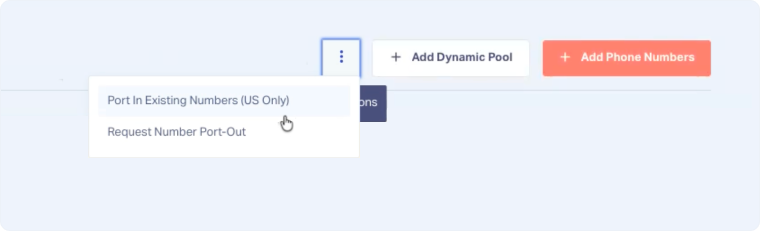
- Click the “three-dot” button.
- Select “Port In Existing Numbers (US Only)”.
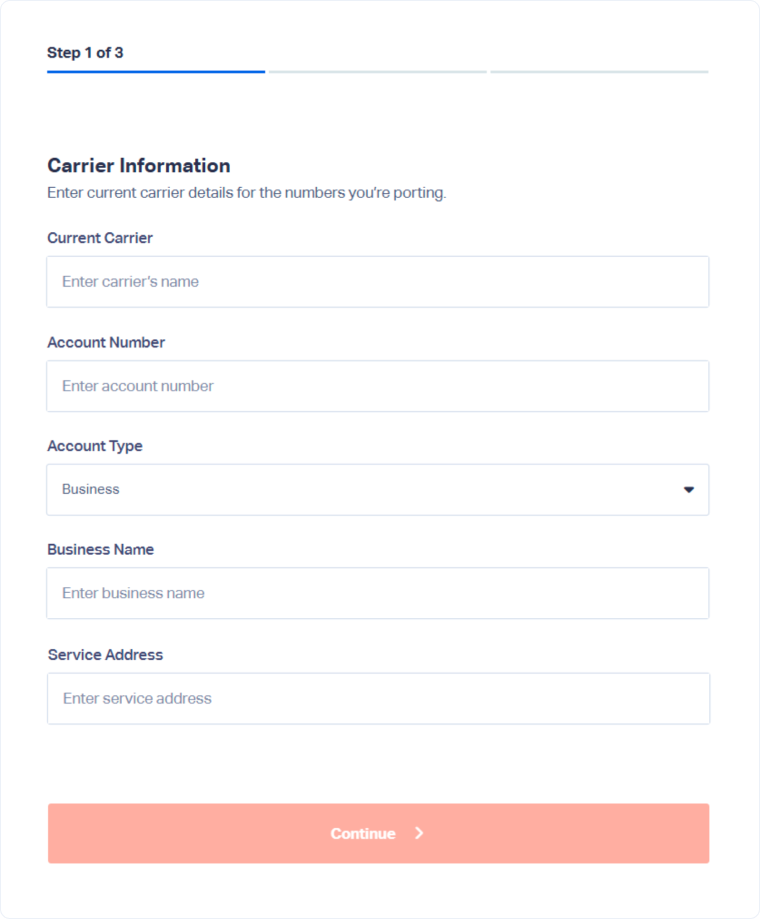
Step 1: Enter Carrier Information
On the first page:
- Enter the information from your current phone carrier.
- Click “Continue”.
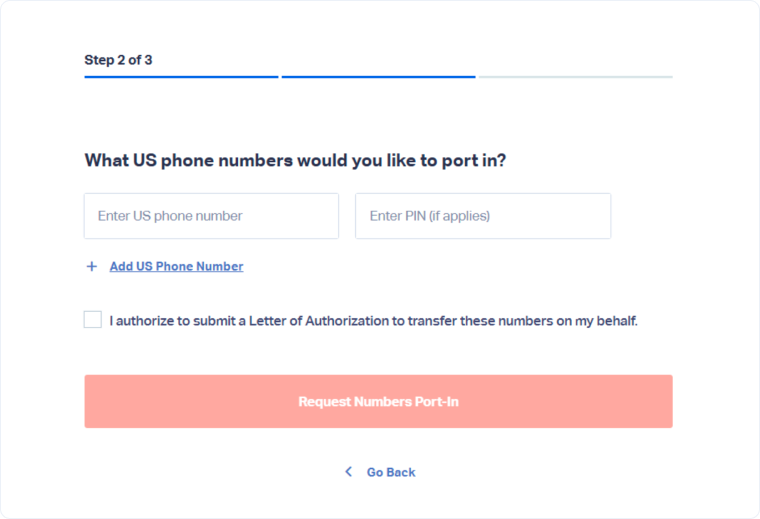
Step 2: Add Phone Numbers and Authorize the Transfer
On the second page:
- Enter the phone numbers you want to port into WhatConverts.
- Authorize the transfer of the phone numbers.
- Click “Request Numbers Port-In”.
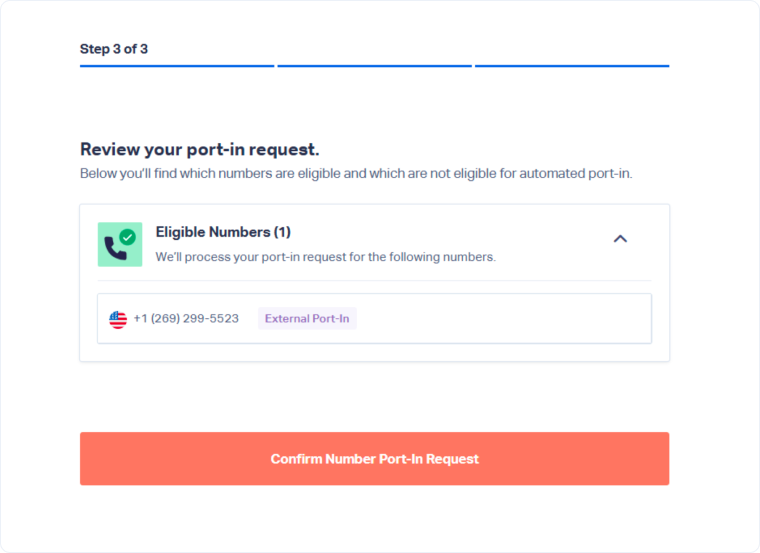
Step 3: Review and Confirm
On the final page:
- Review the list of phone numbers you submitted.
- Click “Confirm Number Port-In Request”.
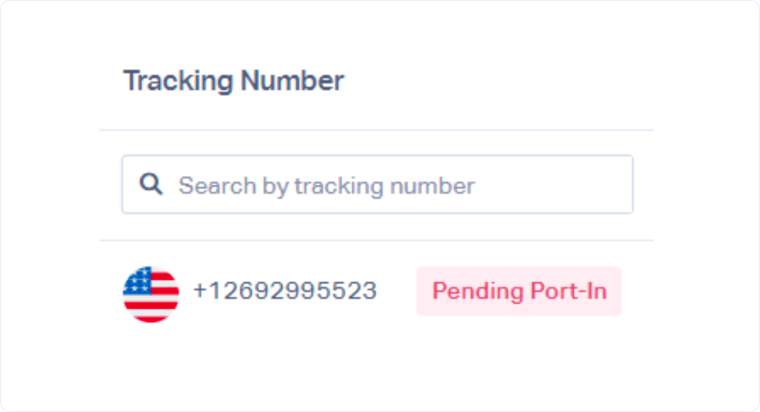
Once the request is submitted, the numbers will appear on the Phone Numbers page with a “Pending Port-In” status.
After Submitting the Request
The porting process typically takes 2-4 weeks to complete.
The WhatConverts Support team will notify you once the port is complete and your numbers are ready to use.
If Your Numbers Cannot Be Ported
If your phone numbers cannot be ported, review the standard Port a Number to WhatConverts article and contact our Support team with the requested information.
The Support team will review the numbers and provide the next steps.
Get a FREE presentation of WhatConverts
One of our marketing experts will give you a full presentation of how WhatConverts can help you grow your business.
Schedule a Demo






