















































Schedule a Report
Scheduling reports lets you automatically receive lead and marketing performance data by email on a regular basis. Instead of generating reports manually, you can set them to deliver daily, weekly, or monthly. Scheduling saves you time and keeps your team or clients consistently informed.
Note : Reports can be delivered directly to Master Account Users or Account Users. To add your clients as Master Account Users or Account Users, follow the steps in these articles: Add a Master Account User and Add an Account User
Schedule a Report
To schedule a report to be sent automatically:
- From your WhatConverts dashboard, go toReports.
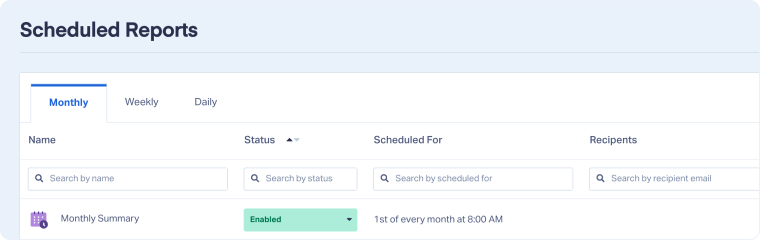
- Select “Scheduled Reports”.
- Click"+ Add Scheduled Report".
- Choose theReport Type you want to send:
- Leads List: Send a filtered list of leads with selected columns and sorting preferences.
- Standard Report:Choose from pre-built reports.
- Saved/Custom Report: Use a saved version of a customized report.
- Click"Next Step".
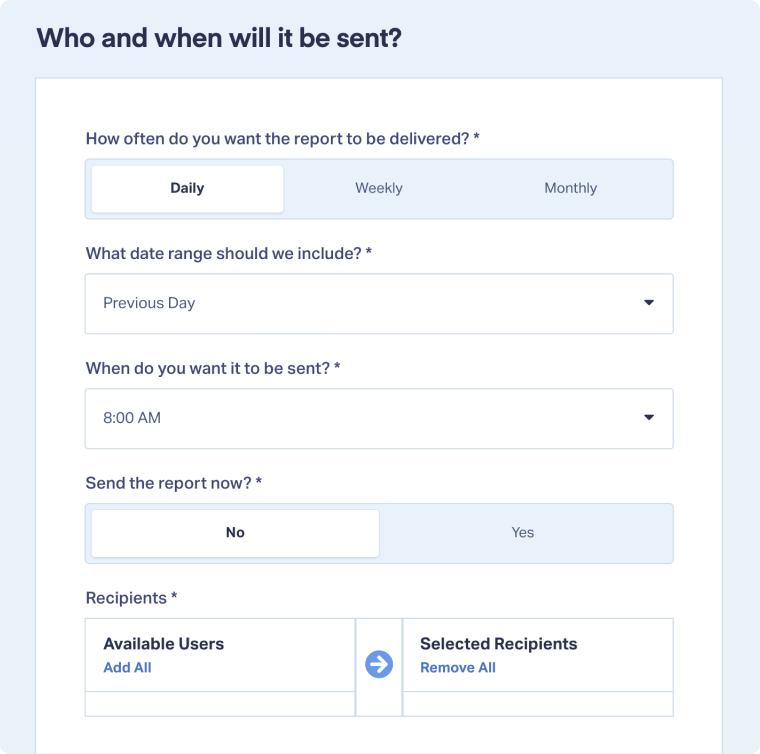
- Select how often and to whom the report should be sent.
- Click“Next Step”.
- Customize theEmail that will be sent with the report:
- Subject: Edit the subject line.
- Content Header: Edit the header text.
- Content Body: Edit the message in the body of the email.
- Click “Finish" to complete setup.
Related Topics
Was this page helpful?
Get a FREE presentation of WhatConverts
One of our marketing experts will give you a full presentation of how WhatConverts can help you grow your business.
Schedule a Demo






