















































Analyze Performance with Standard Reports
Standard Reports in WhatConverts give you quick insights, but insights alone don’t drive performance. To get results, you need to turn those insights into action.
Go from “interesting data” to “data that improves performance” by using your standard reports (such as the Summary, Marketing Channels, Keywords, or Landing Pages reports) alongside Custom Reports and the Lead Manager.
Optimize Performance with Standard Reports
Follow this process to act on the insights you find in your Standard Report:
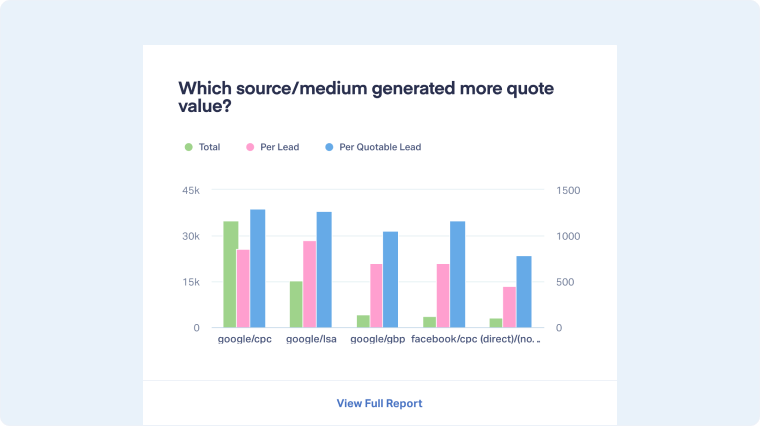
- Click “View Full Report”. Start with a data point that stands out, like a drop in leads from google/cpc.
- Use the Custom Report to explore further. It will open and already be filtered to the section you clicked. Use it to explore and drill down into details.
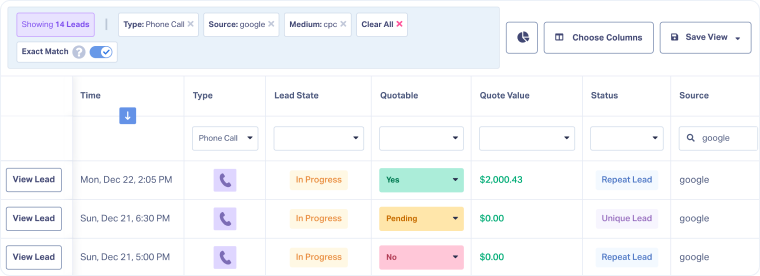
- Click “View Leads” on the segment that needs deeper review.
- Analyze leads in the Lead Manager. You’ll see a filtered list of relevant leads. Review the filtered leads to identify quality, patterns, and conversion issues.
Based on what you find, you can:- Refine ad targeting or keyword bids.
- Improve landing pages that attract low-quality leads.
- Adjust budgets toward channels or campaigns generating higher quote or sales values.

Related Topics
Was this page helpful?
Get a FREE presentation of WhatConverts
One of our marketing experts will give you a full presentation of how WhatConverts can help you grow your business.
Schedule a Demo






