















































Hide a Lead Manager Column
You can hide columns in the Lead Manager to simplify your view and focus only on the information that matters most. There are two ways to hide a column.
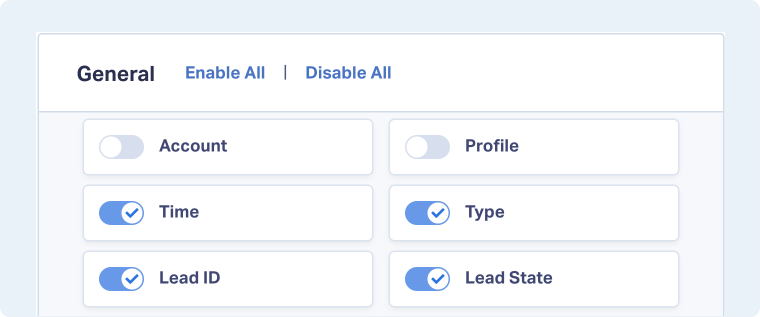
Use Choose Columns to Hide a Column
To hide a Lead Manager column from the columns menu:
- Open the Lead Manager.
- Click “Choose Columns”.
- Toggle off the column you want to hide.
- The column will be removed from your table view.
Use More Actions to Hide a Column
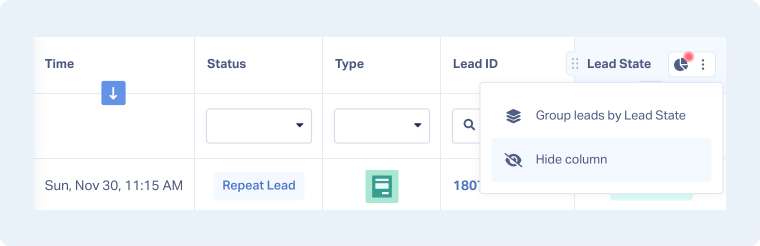
To hide a Lead Manager column from the column header:
- In the Lead Manager, hover over the column you want to hide.
- Click “More Actions”.
- Select “Hide column”.
- The column will be removed from your table view.
Related Topics
Was this page helpful?
Get a FREE presentation of WhatConverts
One of our marketing experts will give you a full presentation of how WhatConverts can help you grow your business.
Schedule a Demo






