















































What are the Lead Details?
Who has access to this feature?
Available on: Lead Analysis and Customer Journey - Elite Plans
Access level: All Users
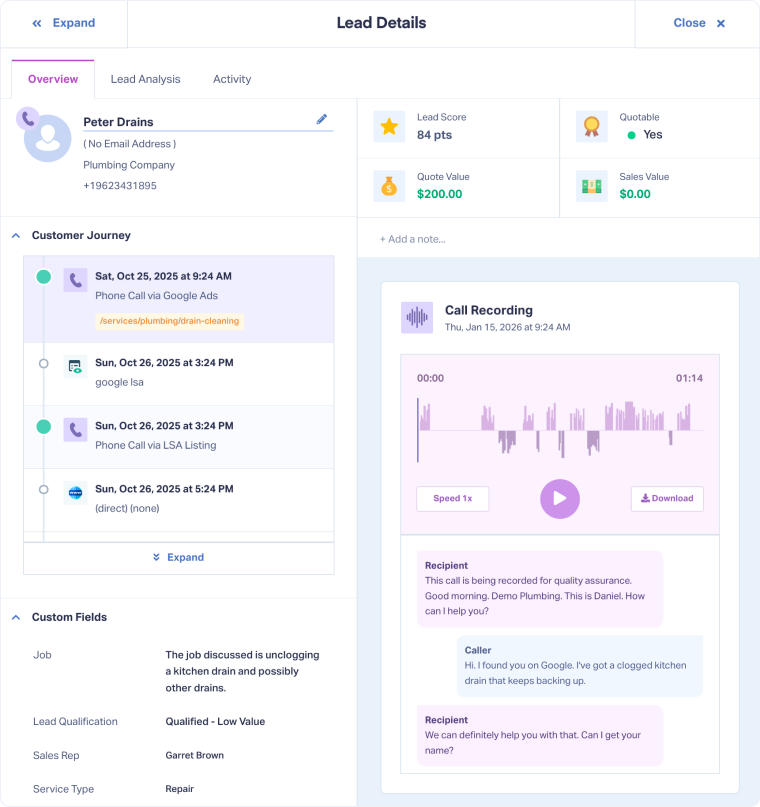
The Lead Details Page gives you full visibility into every lead captured in WhatConverts. Instead of looking at aggregate data, you can zoom in on an individual lead to understand who the lead is, where they came from, and what they wanted.
This page provides the context you need to categorize and qualify leads, assign value, and tie them directly to revenue.
Key Sections of the Lead Details Page
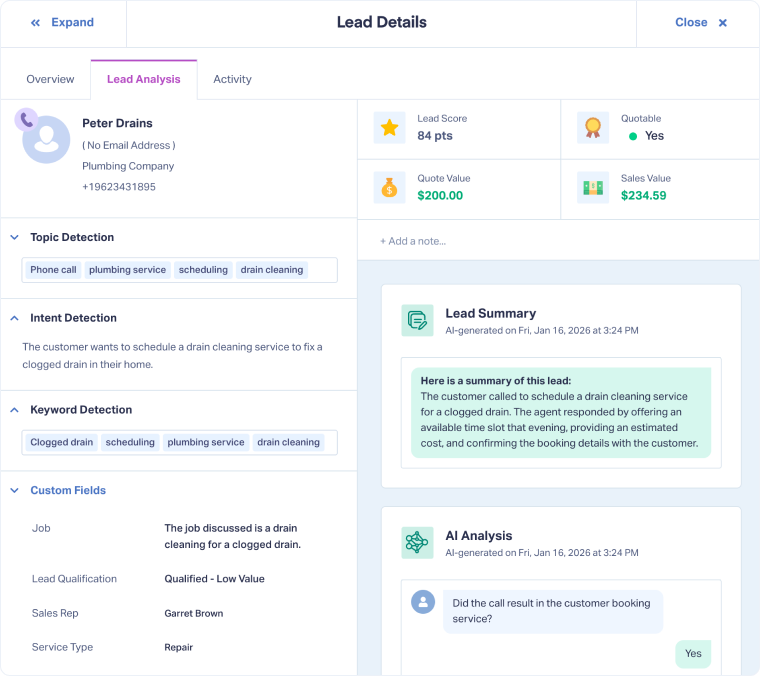
The Lead Details Page is divided into three main sections, each designed to give you a different level of insight. Across the Overview and Lead Analysis tabs, the Sales Value, Quote Value, and Custom Fields are always available. This allows you to categorize, qualify, and value your leads consistently.
- Overview: See the full context of who the lead is, where they came from, and what they wanted. This section combines contact details, the customer journey, and conversion details (e.g., form fields, chat logs, call recordings, and transcripts).
- Lead Analysis: Go deeper with AI-powered insights. This section uncovers valuable insights and meaning behind lead interactions, including intent detection, keyword analysis, sentiment, call handling scores, and automated lead summaries. It also includes insights generated by Ask AI Lead Intelligence, automatically giving you customized context tailored to your business
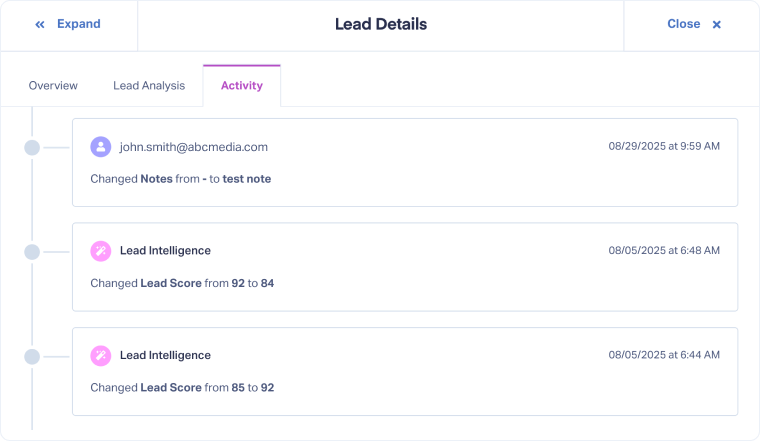
- Activity: Track a clear timeline of every change made to the lead’s data, from updated fields and values to system-driven adjustments. This provides transparency, accountability, and a full history of how the lead record has evolved.
Why Use the Lead Details Page?
The Lead Details Page gives you full visibility into every lead. Instead of just knowing how many leads you received, you can see who the lead is, where they came from, and what they wanted. With this depth of context, you can:
- Know exactly who the lead is and follow their full customer journey from first touch to conversion.
- Verify lead quality and categorize leads with insights from recordings, transcripts, and conversion details (all in one place). Add extra context using Custom Fields.
- Tie leads directly to revenue by tracking Quote Value and Sales Value.
- Use AI-powered insights to quickly uncover patterns, specific insights, and hidden opportunities.
- Track every change made to a lead, so you always have the complete history.
Examples of How Businesses Use the Lead Details Page
- HVAC Company: Tracks the full customer journey to see how a lead moved from ad click, to call, to booked appointment, and transaction. This confirms which campaigns drive real service requests and revenue.
- Dental Clinic: Uses call recordings and transcripts to verify appointment requests, confirm procedures requested, and enrich leads to know which procedures drive more revenue.
- Law Firm: Uses AI analysis to extract the service request, estimate value, and confirm appointments from calls. Lead Intelligence rules then auto-fill Custom Fields to categorize, qualify, and value leads.
Related Topics
Get a FREE presentation of WhatConverts
One of our marketing experts will give you a full presentation of how WhatConverts can help you grow your business.
Schedule a Demo






