















































View Your Email Leads
Once you've set up Email Tracking, you can view all captured email messages in the Lead Manager. Reviewing your Email leads helps you see which marketing sources drive email inquiries and follow up efficiently with potential customers.
View Email Leads in the Lead Manager
To view your Email leads:
- Access the Lead Manager.
- You'll see the Lead Manager displaying all tracked leads across your profiles.
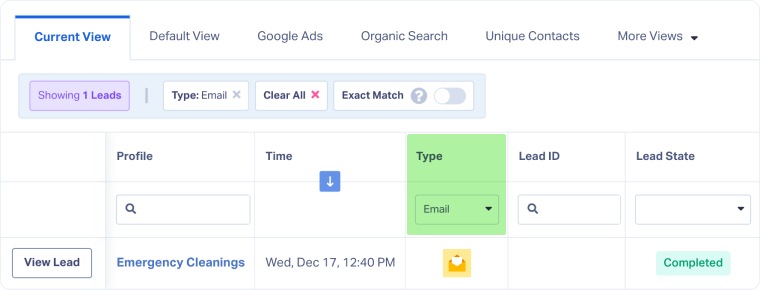
- Filter by lead type to view only Email submissions:
- Locate the "Type" column.
- Click the filter and select "Email".
- Click any lead row to open the Lead Details page and view the complete email message, sender information, and marketing source data.
Tip: You can view leads at the Master Account, Account, or Profile level. Make sure you select the correct level before opening the Lead Manager so you only see the leads for that level.
Related Topics
Was this page helpful?
Get a FREE presentation of WhatConverts
One of our marketing experts will give you a full presentation of how WhatConverts can help you grow your business.
Schedule a Demo






