















































Access Pre-built Reports from the Report Library
You can access pre-built reports from the Report Library to review marketing and sales performance instantly. These reports open directly in the Report Builder and include both WhatConverts’ default reports and any custom reports your team has saved.
Access Reports from the Report Library
To open a pre-built report:
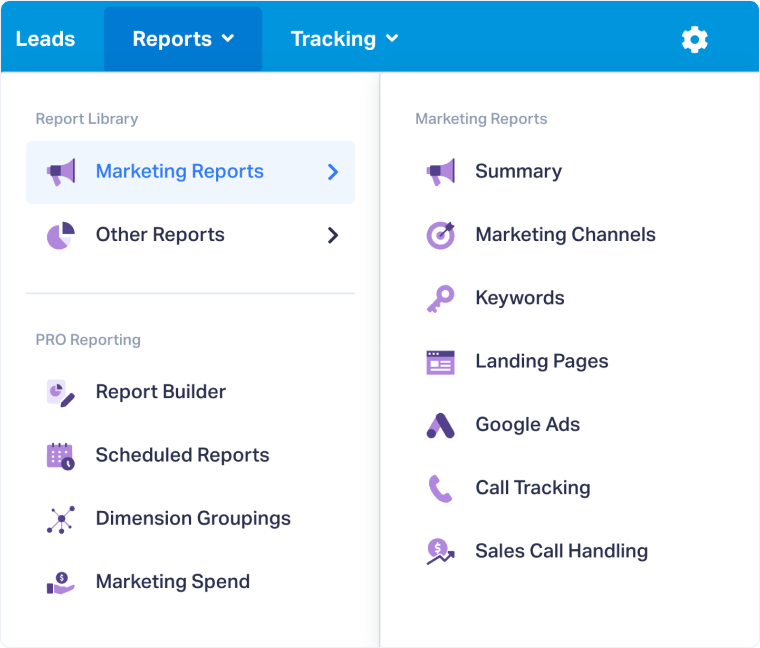
- In the top navigation bar, open the Reports tab.
- Click “Report Library”.
- From the list of Popular Reports, select a pre-built report such as Leads by Source, Quote Value by Keyword, or Sales Value by Landing Page.
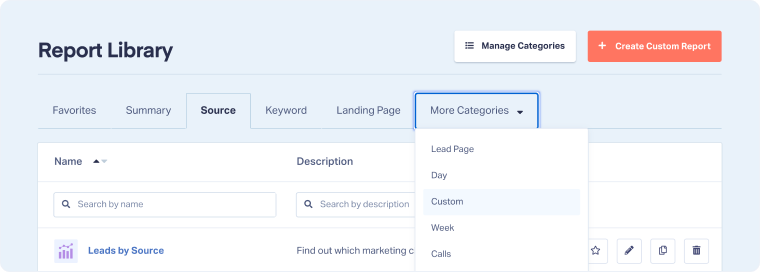
- To browse all available reports, select “Browse Library” at the top of the list.
- In the Report Library page, use the category tabs to find a report.
- Click “View Report” next to the one you want to open.
Note: The Report Library also allows you to create, organize, and delete reports or categories. These actions are explained in the Manage the Report Library article.
Related Topics
Was this page helpful?
Get a FREE presentation of WhatConverts
One of our marketing experts will give you a full presentation of how WhatConverts can help you grow your business.
Schedule a Demo






