















































Search and Navigate Accounts with the Account Navigator
The Account Navigator lets you quickly move between Master Accounts, Accounts, and Profiles. You can search by name, ID, or email, or use the visual menu to switch levels.
If you're new to WhatConverts, start with Introduction to the Control Center to see how levels fit together.
Access the Account Navigator
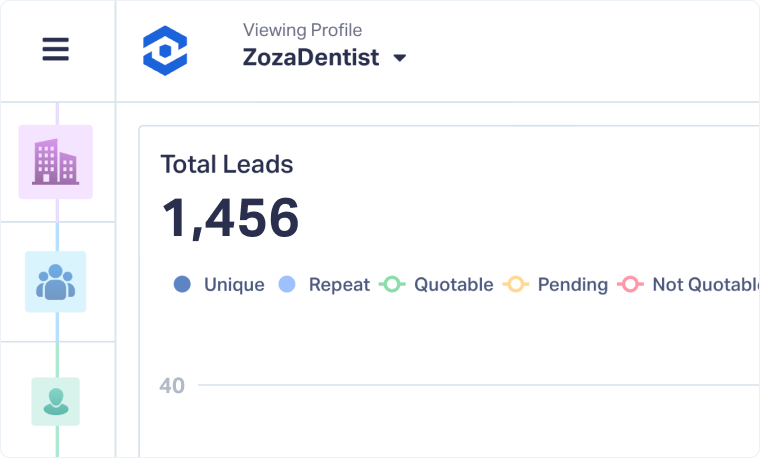
You can access the Account Navigator from any Master Account, Account, or Profile. It's located in the top-left corner of your dashboard and always shows:
- The level you're currently viewing (Master Account, Account, or Profile)
- The name of the active Master Account, Account, or Profile
To open the Account Navigator:
- Click the dropdown arrow next to the current level name in the top-left corner.
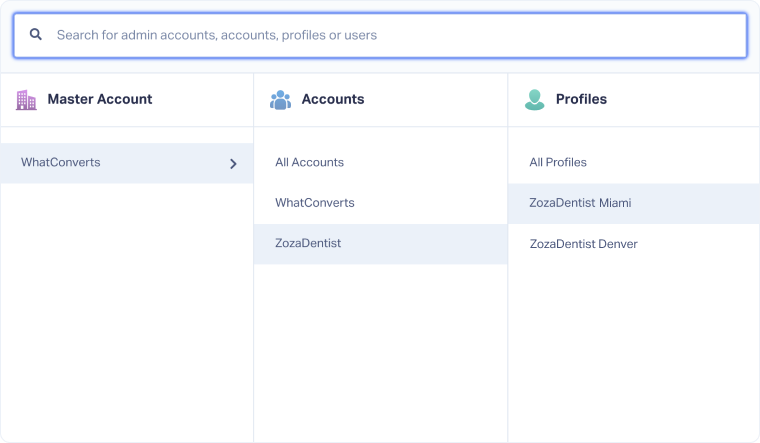
- The Account Navigator will open, giving you two ways to navigate:
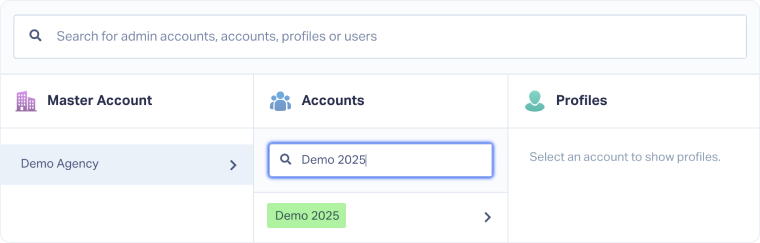
- Search Bar
- Navigation Menu
Tip: If you manage multiple clients or profiles, use the Search Bar to quickly find what you need. For smaller structures, the Navigation Menu may be easier.
Use the Search Bar
The Search Bar lets you search by name, ID, or email. The results will include:
- Master Accounts
- Accounts
- Profiles
- Users
Note: You don’t need to specify what type of item you’re searching for; the results will show all matching records across all types.
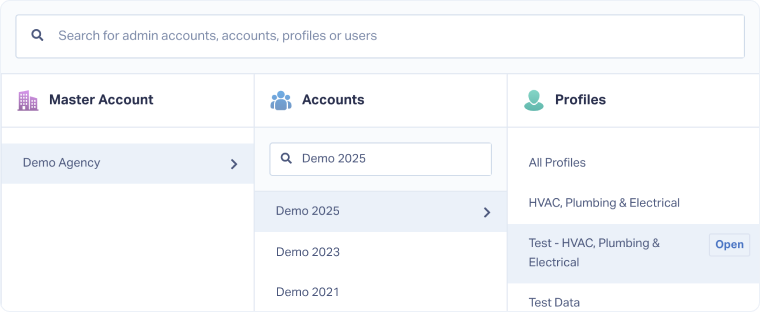
Use the Navigation Menu
The Navigation Menu gives you a visual way to move between levels in your WhatConverts structure.
- Open the Account Navigator.
- If you have access to multiple Master Accounts, select one to reveal its Accounts.
- Select the Account where the Profile is located.
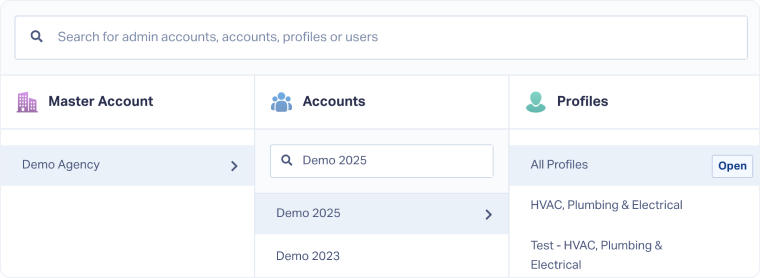
- You'll now see all Profiles in that Account.
- Choose one of the following:
- Click "Open" next to All Profiles to stay at the Account level and see data from all Profiles in that Account.
- Click "Open" next to a specific Profile to go to the Profile level and view its data.
Related Topics
Get a FREE presentation of WhatConverts
One of our marketing experts will give you a full presentation of how WhatConverts can help you grow your business.
Schedule a Demo






