















































Add a Phone Number to Track Calls from an Email Using a Static Number
Tracking calls from email campaigns helps you measure engagement and identify which messages drive conversions. By assigning a unique WhatConverts tracking number to your email, you can see when leads call directly from your message.
Set Up a Static Number for Email Tracking
Before you begin, decide which email campaign or sender you want to assign a tracking number to. You’ll set up and label this number directly in your WhatConverts profile.
- In your WhatConverts profile, select “Tracking” from the top menu.
- Choose “Calls”, then “Phone Numbers”.
- Click “+ Add Phone Number”.
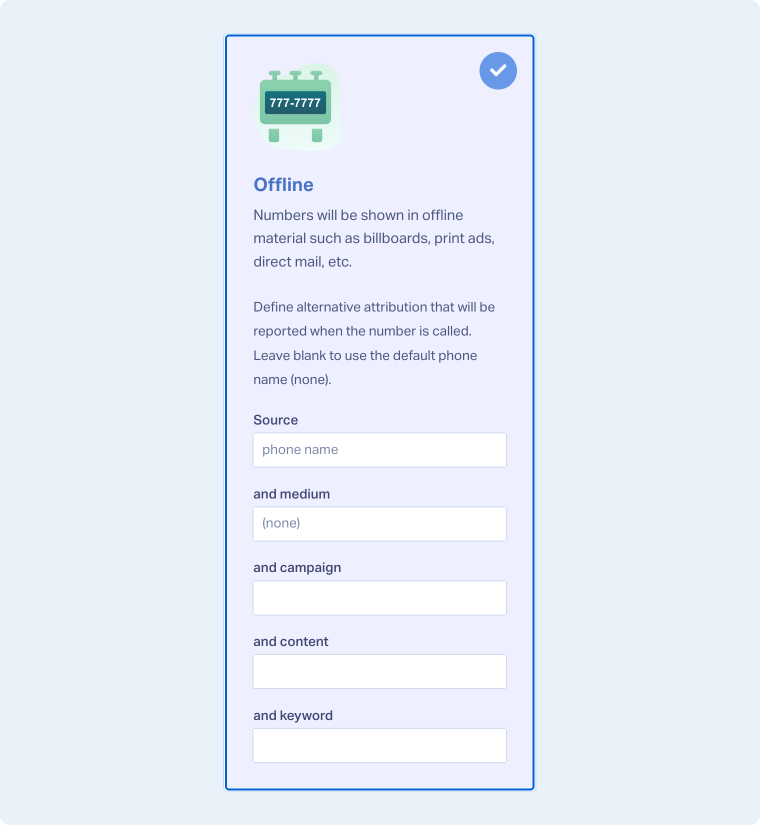
- Choose “Advanced Setup”. In the setup window, select “Offline”.
- Here you can fill out the attribution that will show up on your leads. Some will have placeholders already that are semi-transparent. You can replace those with a custom value you’d prefer. You can fill in Source, Medium, Campaign, Content, and Keyword to be attributed to your leads whenever you receive a call.
- Click “Next Step”.
- Move the slider to “1”. Choose the Country, Phone Number Type (Local or Toll-Free), and Area Code.
- Click “Find Numbers”. Review and select your preferred number, then click “Next Step”.
- Enter the Destination Number (the line your calls will forward to) and give your tracking number a descriptive name.
- Review and adjust optional features such as Call Recording, Call Greeting, or Call Whisper as needed. Click “Finish”.
Tip: Use a unique static number for each email campaign to accurately measure engagement. For example, assign one number to your monthly newsletter and another to your product promotions.
Where to Use Your Static Tracking Number
After creating the number, add it to your email template wherever you display contact details or a call-to-action:
- In the header or footer of your email
- Within the body text, alongside your message
- On buttons or images that encourage readers to call directly
When a recipient calls this number, the call will appear in your WhatConverts dashboard with attribution to the email campaign.
Related Topics
Get a FREE presentation of WhatConverts
One of our marketing experts will give you a full presentation of how WhatConverts can help you grow your business.
Schedule a Demo






