















































Set User Lockout After Failed Logins
User Lockout adds an extra layer of protection to your WhatConverts account by temporarily preventing login access after multiple failed attempts. This helps block unauthorized users or bots from repeatedly guessing passwords.
Set a User Lockout Policy
To customize how WhatConverts handles failed login attempts:
- Go to Master Account Settings. Select "Security".
- Under Security, choose "User Lockout".
- Under User Lockout Activation, enter the following details:
- Lockout Duration: How long users will be locked out after exceeding the failed login limit.
- Failed Login Attempts: The number of incorrect login attempts allowed before a lockout occurs.
- Click "Update User Lockout" to apply your changes.
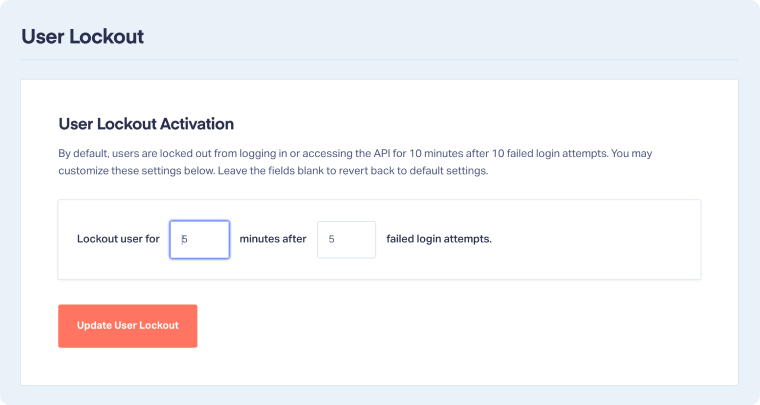
Note: By default, WhatConverts locks users out for 10 minutes after 10 failed login attempts. You can adjust these values to increase security or revert to the default by leaving both fields blank.
Related Topics
Was this page helpful?
Get a FREE presentation of WhatConverts
One of our marketing experts will give you a full presentation of how WhatConverts can help you grow your business.
Schedule a Demo






