















































Create a Call Flow with a Contingency (Backup) Number
A contingency number (also called a backup number) ensures your calls are never missed. If your primary number is unavailable or unanswered, the call will automatically route to your backup number, helping you maintain business continuity and capture every lead.
Create a Call Flow with a Contingency Number
To create a Call Flow with a contingency number:
- Go to "Tracking" from the top menu and select "Calls".
- Choose "Call Flows".
- Click “+ Add Call Flow”.
- Enter a Call Flow Name and select “Incoming Call Flow”.
- Choose the call flow template that best fits your business. (In this example, we’ll use Basic Dial).
- Click “Next Step”.
- In the first dial step, click the "Edit" icon in the top right of the module.
- Give your module a name that identifies the step.
- Under Who should receive the call, enter the destination number you want calls routed to.
- Click “Save Changes”.
- After your initial Dial step, click the “+” icon and add another Dial step.
- Give your module a name that identifies the step.
- Click the "Edit" icon in the top right of the module.
- Under Who should receive the call, enter the contingency number you want calls routed to.
- This number will receive calls if the primary number doesn’t answer.
- Click “Save Changes”, then click “Finish”.
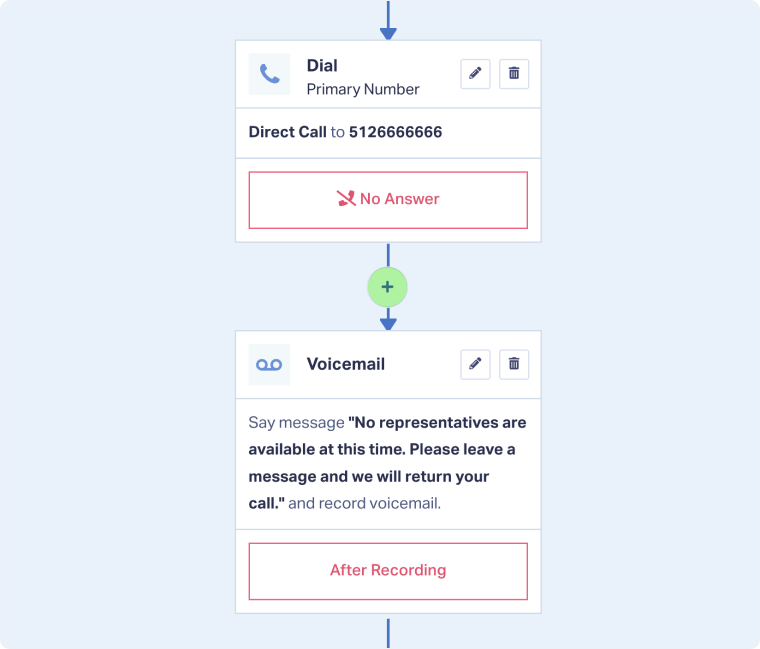
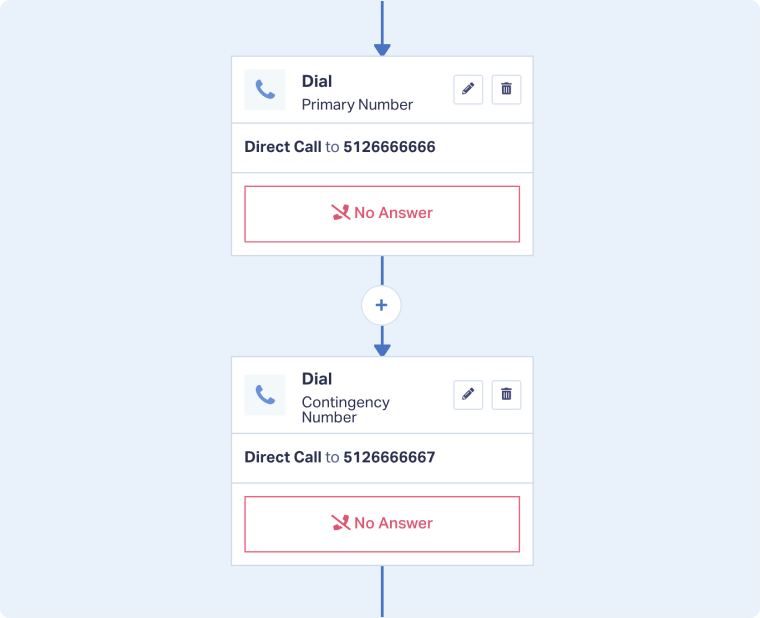
For more information on setting up a Dial step, see Configure a Dial Step in a Call Flow.
Note: Under How long to wait for recipient to answer?, enter how many seconds you want the first destination number to ring before moving to the next step.
If the first destination number has a voicemail set up on their phone, set the wait time shorter than the time it takes for the voicemail to activate.
Related Topics
Get a FREE presentation of WhatConverts
One of our marketing experts will give you a full presentation of how WhatConverts can help you grow your business.
Schedule a Demo






