















































Configure a Call Recording Step in a Call Flow
A Call Recording Step enables or disables call recording at specific points in your Call Flow. You can control when recording starts or stops, play optional recording notification messages to callers, and ensure compliance with call recording laws.
Add and Configure a Call Recording Step
To add and configure a Call Recording Step in an existing Call Flow:
- Open the Call Flow and add a new step.
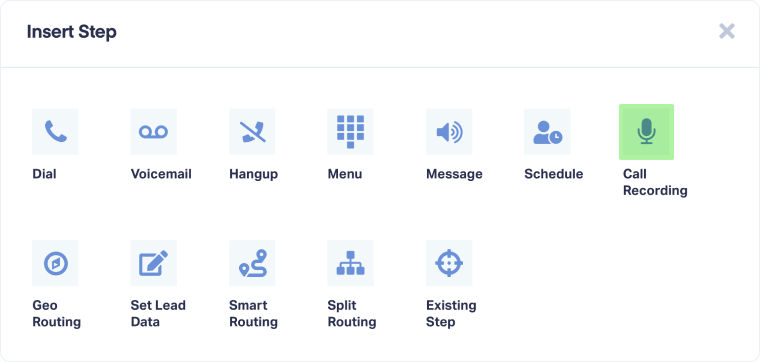
- Select "Call Recording" from the available step options.
- Enter a descriptive name for the step (e.g., Start Recording, Recording Notice).
- Optionally, under "Set recording notification message", choose whether to play a message when recording begins or ends:
- None: No notification message (recording starts/stops silently)
- Say Message: Automated text-to-speech message
- Play Message: Upload a pre-recorded audio file
- If you selected a notification message, configure it.For Say Message:
- Type your message in the text field (e.g., "This call is being recorded for quality assurance")
- Use dynamic values to personalize messages (click tags like {Source}, {Medium}, {Campaign}, {Keyword}, etc.)
- Select a voice from the "Select a Voice" dropdown
For Play Message:
- Click "Click here to upload MP3 recording"
- Upload an MP3 file (maximum file size is 1MB)
- Under "Should the call be recorded?", toggle to enable or disable recording:
- Yes: Enables call recording from this point forward
- No: Disables call recording from this point forward
- Click "Save Changes" to apply the Call Recording Step.
Once configured, call recording will be enabled or disabled when the call reaches this step in your Call Flow.
Tip: Place a Call Recording Step with a notification message at the beginning of your Call Flow to comply with one-party or two-party consent laws. Use "This call may be recorded for quality assurance" as your message before recording begins.
Note: Call recording laws vary by state, federal, and country-level jurisdictions. Review local regulations to ensure compliance before enabling call recording. Some jurisdictions require notification to all parties.
Related Topics
Get a FREE presentation of WhatConverts
One of our marketing experts will give you a full presentation of how WhatConverts can help you grow your business.
Schedule a Demo






