















































Import Lead Intelligence Rules From a Template
Who has access to this feature?
Available on: Elite Plans
Access level: All Users
Lead Intelligence templates provide pre-built automation rules that you can import and customize for your business. Templates save time by starting with proven logic for common tasks like lead qualification, scoring, and data updates.
Import a Rule Template
To import a Lead Intelligence rule from a template:
- Access the Master Account or Profiles settings depending on where you want to apply rules.
- Click "Lead Intelligence" from the menu.
- Click "+ Add Intelligence Rule".
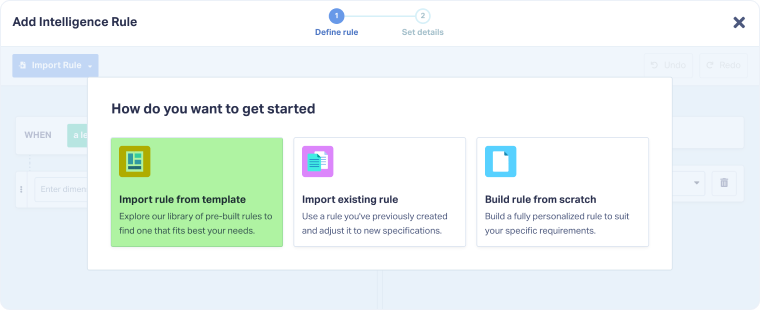
- Select "Import rule from template" from the options.
- Browse or search for a template:
- Browse categories: Click categories in the left sidebar (e.g., Qualify Categorize Value, Conversions to Ad Platforms, Sales Coach)
- Search templates: Use the search bar to find specific templates by name or keyword
- Click on a template to select it (e.g., One minute calls set Quotable and Lead Score, Use AI Keyword Detection to quote leads).
- Review the template's default conditions and actions.
- Customize the rule:
- WHEN section: Modify conditions to match your criteria (trigger type, field values, duration, etc.)
- THEN section: Adjust actions to set the values you need (quotable status, lead score, custom fields, etc.)
- Click through “Continue" to name your rule.
- Click "Finish" to save the rule.
Tip: Start with a template that's close to your needs, then customize it. This is faster than building rules from scratch and ensures you don't miss important conditions.
Related Topics
Was this page helpful?
Get a FREE presentation of WhatConverts
One of our marketing experts will give you a full presentation of how WhatConverts can help you grow your business.
Schedule a Demo






