


Set Up Alerts for Lead Volume Targets
Creating Lead Volume Target Alerts helps you monitor lead volume against a set target.
You can use them to get notified when the total number of leads goes above or below a set target within a selected time period (e.g., get notified if leads exceed 100 in the last 24 hours, or drop below 20 in the last 7 days).
Configure a Lead Volume Target Alert
To configure a Lead Volume Target Alert:
- Follow steps 1-2 of the Alert creation process.
- For the Alert type, select "Leads more than or less than target".
- In the “If Leads” section:
- Choose which lead types the alert applies to.</li
- Choose whether to track an increase or decrease in leads (e.g., “More than”, “Less than”).
- Set the threshold that should trigger the alert (e.g., 50 leads).
- Pick the time period for comparison (e.g., “In last 24 hours”, or “In last 7 days”).
- In the “To” section, enter the email addresses where notifications should be sent.
- In the “Alert Message” section, customize the Alert message. Optionally use dynamic variables like {profile name} to auto-fill context.
- Check the Alert Preview to make sure you get the desired outcome.
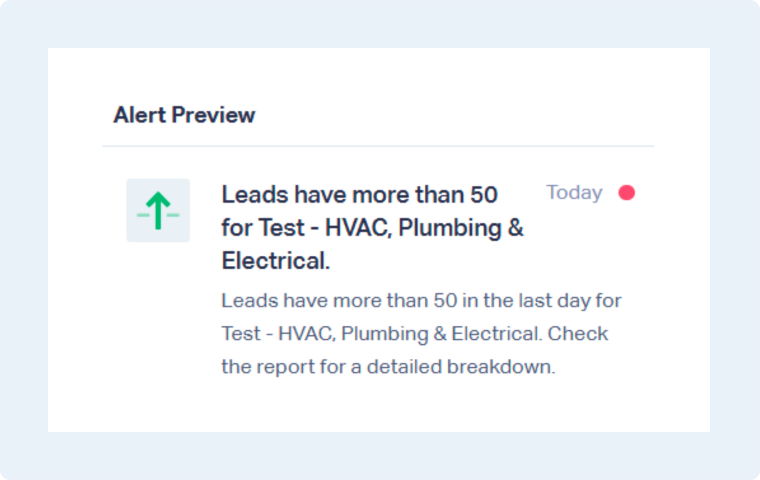
- Finally, follow the last steps of the Alert creation process (steps 5-6) to save and enable the Alert.
Tip: Set realistic thresholds to avoid too many unnecessary alerts. Use shorter time periods if you want to catch issues quickly, or longer time periods if you want fewer alerts.
Note: Alerts can be shared with any Master Account or Account user. Master Account users can always receive alerts, regardless of which account they’re created from. Account users will only receive alerts for the account(s) they have access to.
Related Topics
Get a FREE presentation of WhatConverts
One of our marketing experts will give you a full presentation of how WhatConverts can help you grow your business.
Schedule a Demo






