


Send Lead Data from WhatConverts to Jobber
Sending new leads from WhatConverts to Jobber automatically creates customer records in your field service management system, eliminating manual data entry and ensuring every tracked lead becomes a customer in your database. This workflow captures rich marketing attribution data in WhatConverts and pushes it along with contact details into Jobber via Zapier.
This integration uses Zapier to monitor for new leads in WhatConverts and automatically creates corresponding customer records in Jobber. You can map any fields from WhatConverts to fields in Jobber, including marketing source data, contact information, and custom fields.
Before You Begin
Make sure you have:
- A Jobber account
- A Zapier account
- Your WhatConverts API key:
- For Master Account integrations: Generate a Master API Key
- For Profile integrations: Generate a Profile API Key
Set Up the Lead to Customer Workflow
Follow these steps to send new leads from WhatConverts to Jobber:
- Log in to your Zapier account.
- In the left-hand menu, click "+ Create", then click "Zaps".
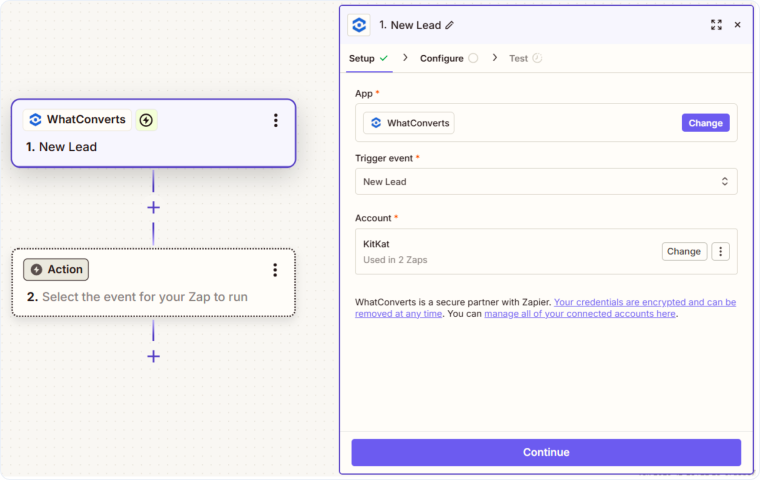
- Use the AI Copilot to enter the integration you are setting up, or click the “Trigger Box” and search for "WhatConverts".
- Select "New Lead" as the Trigger Event. Click “Continue”.
- Connect your WhatConverts account by following the prompts (see Connect WhatConverts to Zapier for detailed instructions).
- Test the trigger to verify it successfully retrieves lead data from WhatConverts.
- For the Action, search for and select "Jobber".
- Choose "Create Client" as your action event.
- Map any WhatConverts fields to available Jobber client fields based on your needs.
- Test the action to ensure the client is created correctly in Jobber, then publish your Zap to begin automatically creating clients from new leads.
Once activated, every time a new lead is created in WhatConverts, a client record will be automatically created in Jobber with all the information you mapped.
Related Topics
Get a FREE presentation of WhatConverts
One of our marketing experts will give you a full presentation of how WhatConverts can help you grow your business.
Schedule a Demo






