


Connect WhatConverts to Calendly
Connecting WhatConverts to Calendly allows you to track booked appointments as leads and understand where those bookings came from. The built-in integration sends appointment details directly into your Lead Manager with full attribution.
For an overview of the Calendly Integration, see What is the Calendly Integration?
Note: This article covers the built-in Calendly integration. If you're not on an Elite or Agency Elite plan, you can still track Calendly using the Zapier method described in Set Up Calendly Tracking
Add a Calendly Connection
To connect your Calendly account:
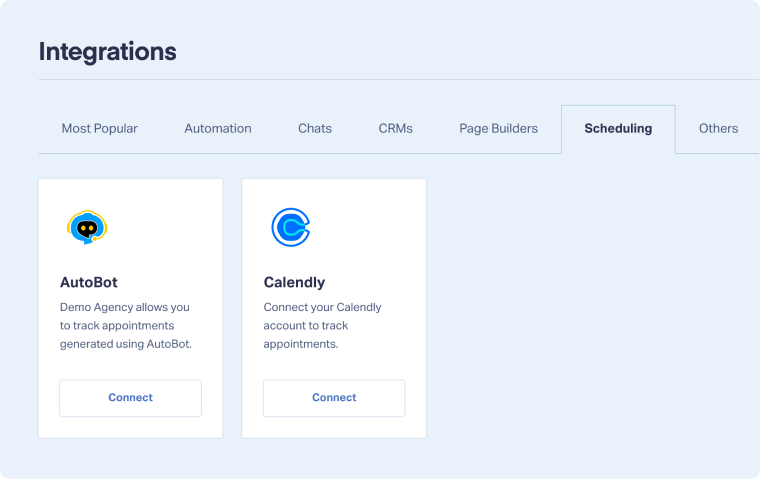
- From your WhatConverts dashboard, go to “Tracking”, then “Integrations”.
- Select the “Scheduling” tab.
- Under Calendly, click “Connect”.
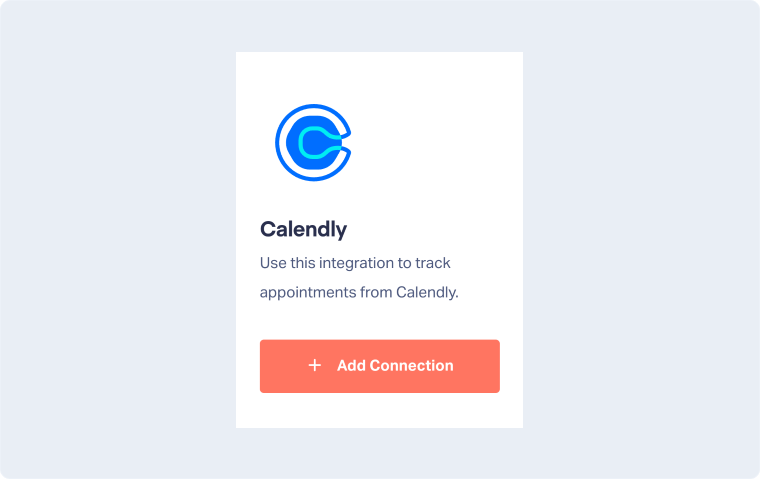
- On the Calendly Integration page, click “Add Connection”.
- Select “Connect Calendly Account” and log in to authorize WhatConverts.
- Choose which Calendly calendars to track:
- All calendars in your Calendly account
- All calendars inside specific groups
- Events assigned to specific users
- Click “Finish” to complete the setup.
This integration works whether you use Calendly on its own URL or embed it directly on your website.
Note: To record leads with attribution data, the Calendly link must be embedded on your website. If you do not embed the link, leads will be recorded without attribution data.
Related Topics
Get a FREE presentation of WhatConverts
One of our marketing experts will give you a full presentation of how WhatConverts can help you grow your business.
Schedule a Demo






