


Set Up Squarespace Call Tracking
Call tracking enables you to track phone calls from your Squarespace website back to the marketing campaigns that generated them.
Learn more about the Squarespace integration in What is the Squarespace Integration?
Add WhatConverts Tracking to Squarespace
To install the WhatConverts tracking script on your Squarespace site:
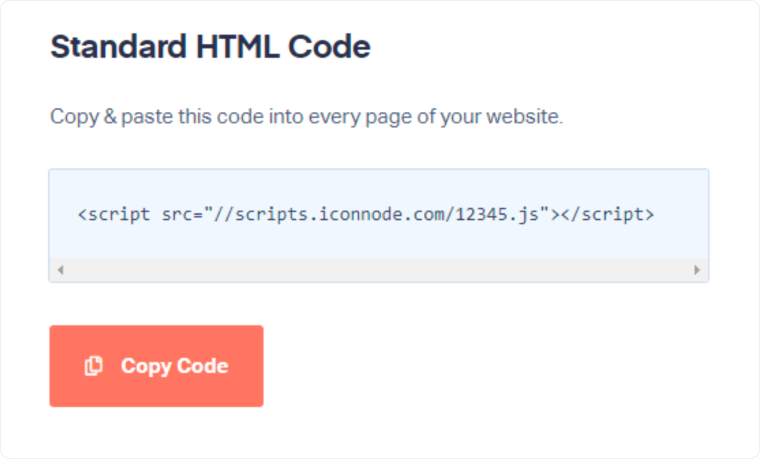
- Log in to your WhatConverts account and navigate to “Tracking”, then “Tracking Code” in the top menu.
- Copy your Tracking Script by selecting “Copy Code”.
- Log in to your Squarespace account and click "Settings" in the left panel.
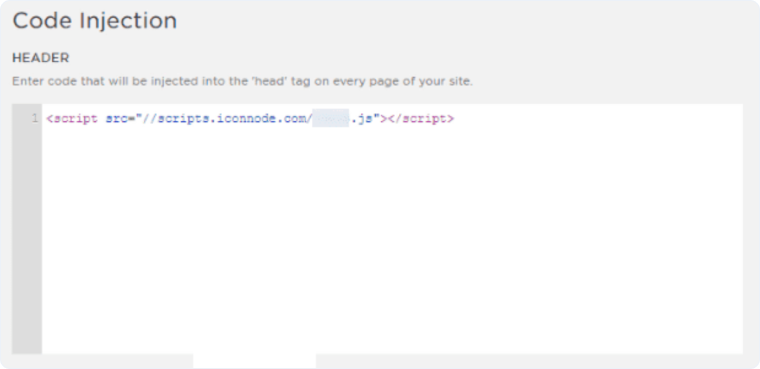
- Select "Advanced", then click "Code Injection".
- Paste your WhatConverts tracking script into the "Header" section.
- Click "Save".
Configure Number Swapping
Follow the steps in our Create a Dynamic Number Pool for All Traffic to set up a Number Pool.
When visitors land on your Squarespace page, WhatConverts will automatically replace your business number with the tracking number. When someone calls the tracking number, WhatConverts captures the call and marketing attribution, then forwards the call to your business.
Verify Call Tracking
- Visit your Squarespace website from different marketing sources (Google Ads, organic search, direct).
- Verify that different tracking numbers appear based on your traffic source.
- Test by calling one of the tracking numbers.
- Check your WhatConverts dashboard to confirm the call was tracked with proper attribution.
Related Topics
Get a FREE presentation of WhatConverts
One of our marketing experts will give you a full presentation of how WhatConverts can help you grow your business.
Schedule a Demo






