


Integrate AgencyAnalytics with WhatConverts
Connecting WhatConverts to AgencyAnalytics allows you to include your lead and conversion data in your AgencyAnalytics reports. This guide walks you through linking your accounts and pulling WhatConverts data into your reporting.
Connect Agency Analytics to WhatConverts
- Log in to your AgencyAnalytics account.
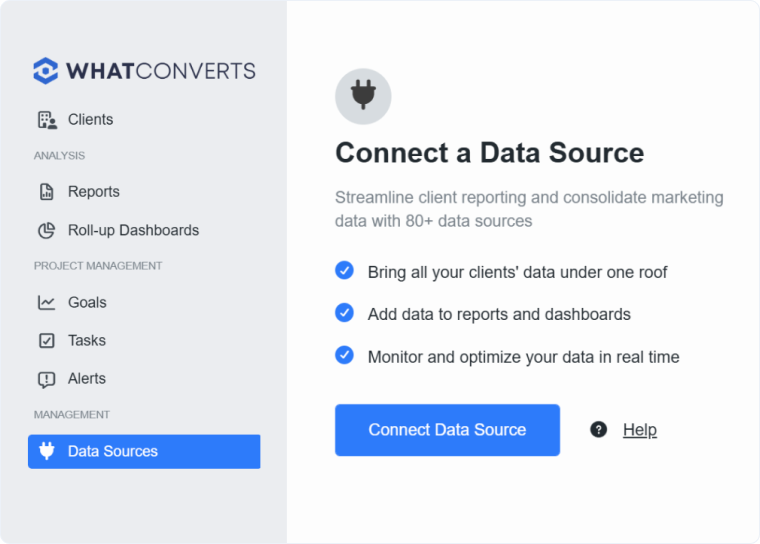
- On the left-hand side of the Dashboard, select “Data Sources”, then select “Connect Data Source”.
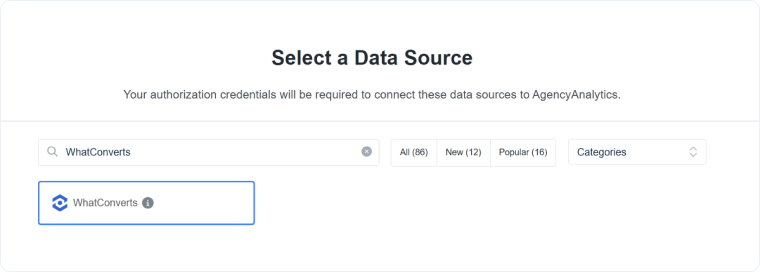
- Select your client and click “Continue”.
- From the list of available Data Sources, find and select “WhatConverts”.
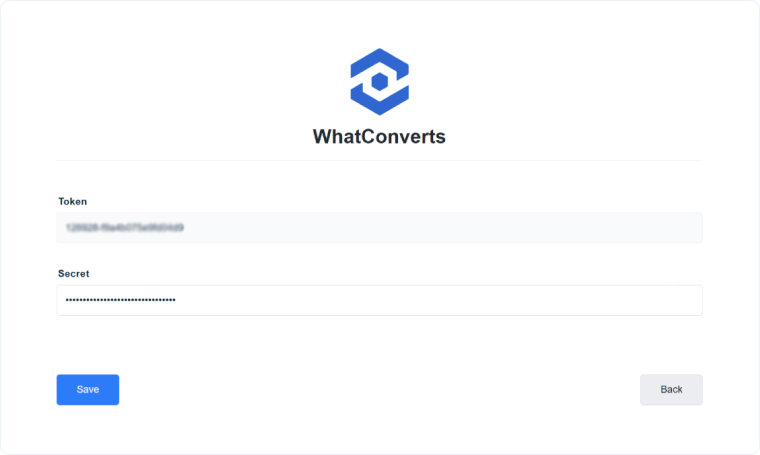
- Click “Connect New Account”.You will be prompted to enter an API Token and API Secret.
- To generate your API credentials, follow the steps in the Generate a Profile API Key article.
- Return to AgencyAnalytics and paste the API Token and API Secret into the corresponding fields.
- Click “Save”.
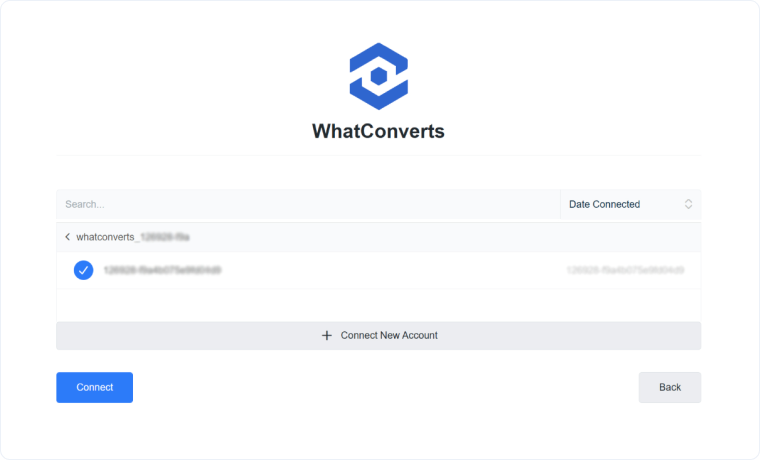
- Select your WhatConverts account and click “Connect”.
You can now start building reports in AgencyAnalytics using your WhatConverts data.
Related Topics
- What is the Report Builder?
- Connect WhatConverts to Google Looker Studio
- Send WhatConverts Data to Cyfe with Zapier
- Integrate Octoboard with WhatConverts
- Integrate ReportGarden with WhatConverts
Was this page helpful?
Get a FREE presentation of WhatConverts
One of our marketing experts will give you a full presentation of how WhatConverts can help you grow your business.
Schedule a Demo






