


Set Up Auto-Tagging and Pass Keyword Data from Bing Ads
Auto-tagging in Microsoft Advertising automatically adds UTM parameters to your destination URLs, allowing WhatConverts to capture detailed attribution data including campaigns, ad groups, and keywords. This setup is essential for tracking Bing and Yahoo Ads performance and sending conversions back to Microsoft Advertising.
Learn more in Track Bing & Yahoo Ads
Enable Auto-Tagging in Microsoft Advertising
Auto-tagging simplifies tracking by automatically passing keyword data to WhatConverts without requiring manual UTM parameters. This ensures every lead is attributed to the correct campaign, ad group, and keyword.
Follow these steps to enable auto-tagging:
- Sign in to your Microsoft Advertising account.
- From the top menu, click “Campaigns”.
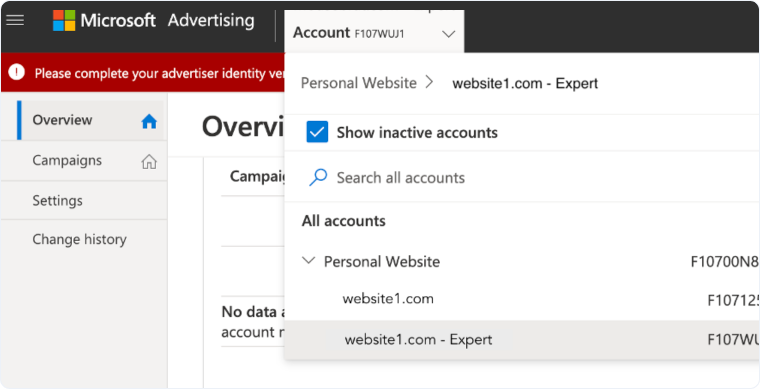
- Select your account from the accounts dropdown.
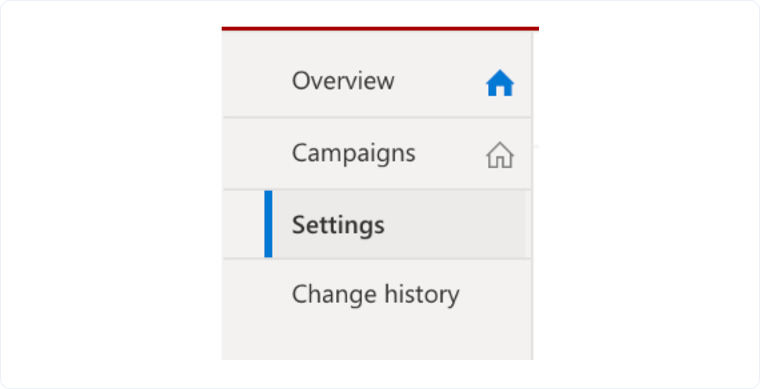
- Click “Settings” on the left side of the page.
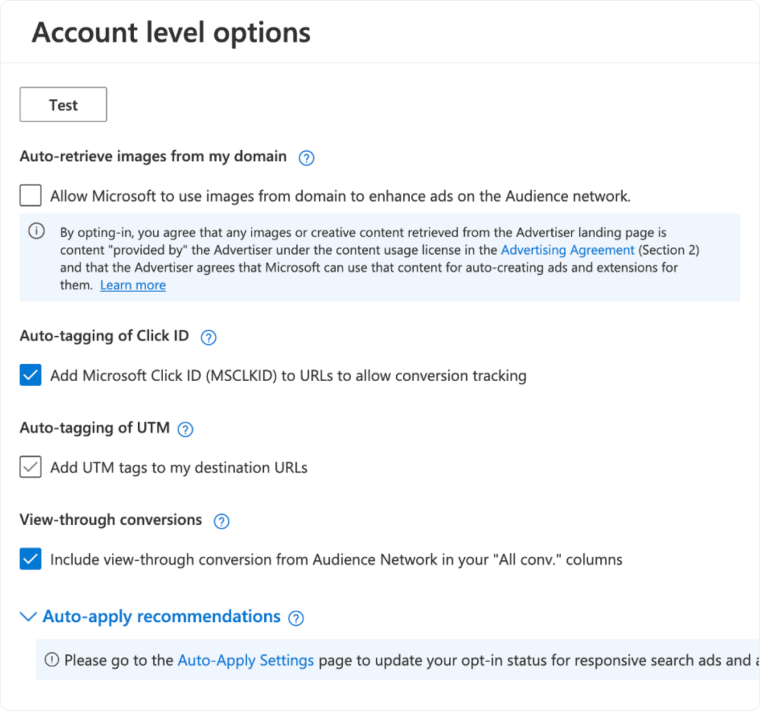
- At the top right of the Settings page, click “Edit account settings”.
- Under Auto-tagging, check the box next to Add UTM tags to my destination URLs.
- Choose your tagging preference:
- Replace all existing tags. Select this if you don't have custom UTM parameters already set in your Bing Ads account (recommended for most users)
- Keep my existing tags and add any that are missing. Select this if you have custom UTM parameters and want to preserve them while adding any missing parameters
- Click “Save”.
Once auto-tagging is enabled, Microsoft Advertising will automatically append UTM parameters to your destination URLs, and WhatConverts will begin tracking attribution data for all Bing and Yahoo Ads traffic.
Related Topics
Get a FREE presentation of WhatConverts
One of our marketing experts will give you a full presentation of how WhatConverts can help you grow your business.
Schedule a Demo






