


Integrate Oviond with WhatConverts
Integrate Oviond with WhatConverts to display your marketing data in Oviond dashboards.
Before You Begin
Make sure you have:
- An Oviond account
- Your WhatConverts API key:
- Master Account integrations: Generate a Master API Key
Note: Oviond requires a Master Account API Key, as you must select the Account when linking datasources.
Connect WhatConverts to Oviond
- Log in to your Oviond account.
- Create a new Client Project or select an existing project.
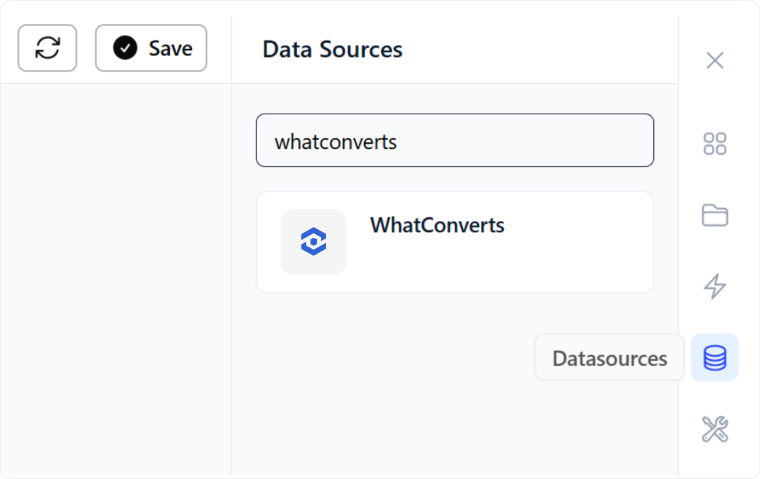
- Navigate to Datasources on the right-hand bar.
- Search for and select "WhatConverts".
- Enter your WhatConverts Master Account API credentials. Click “Next”.
- Select your Account from the List and then click “Save”.
Create Dashboards with WhatConverts Data
- Select your Project or Create a New Project.
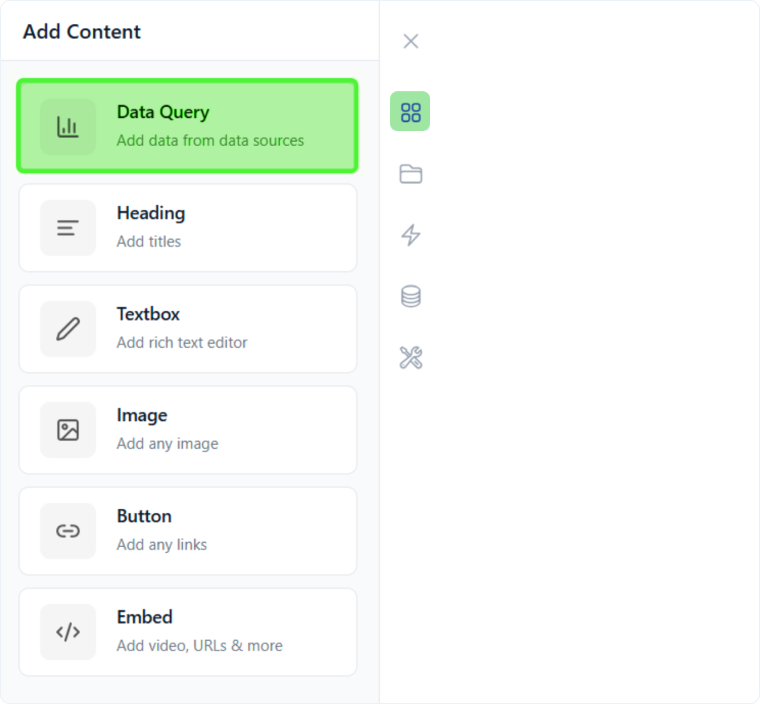
- Select “Add Content” and then “Data Query”.
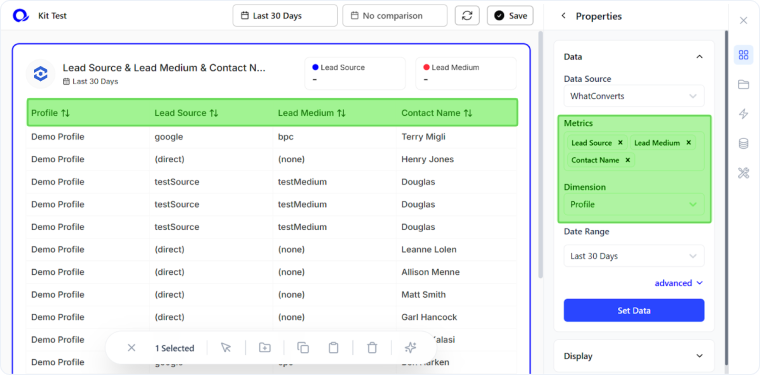
- Select the metrics you want to display and the dimension you want to group them by. For example, I have Lead Source, Lead Medium, and Contact Name by Profile to show me each lead in my Profiles for the past 30 days.
Related Topics
Was this page helpful?
Get a FREE presentation of WhatConverts
One of our marketing experts will give you a full presentation of how WhatConverts can help you grow your business.
Schedule a Demo






