


Integrate ReportGarden with WhatConverts
Integrate ReportGarden with WhatConverts to display your marketing data in ReportGarden reports.
Before You Begin
Make sure you have:
- A ReportGarden account
- Your WhatConverts API key: ReportGarden requires a Master Account Key because you need to select an Account to link.
Connect WhatConverts to ReportGarden
- Log in to your ReportGarden account.
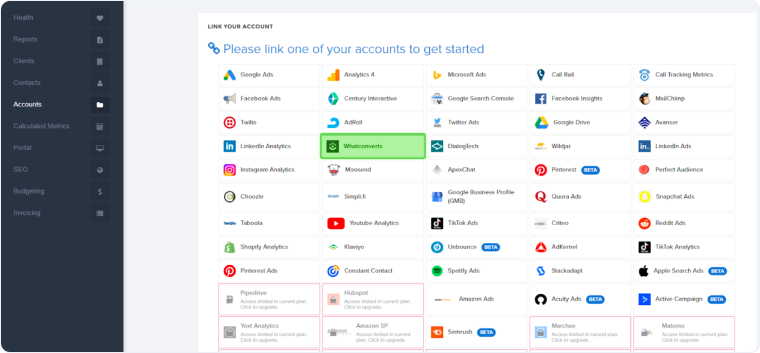
- Navigate to “Accounts”. Search for and select "WhatConverts".
- Click "Connect" or "Add Data Source".
- Enter your WhatConverts API credentials:
- API Token
- Secret Key
- Click "Submit" to save the Connection.
Create Reports with WhatConverts Data
- Go to “Reports” in ReportGarden.
- Create a new report or select an existing template.
- Add widgets or sections using your WhatConverts data source.
- Select the metrics you want to display:
- Total leads by type
- Leads by source
- Leads by campaign
- Call tracking data
- Form submissions
- Lead values
- Custom fields
- Customize your report layout, date ranges, and visualization types.
- Save your report and schedule automated delivery if desired.
Related Topics
Was this page helpful?
Get a FREE presentation of WhatConverts
One of our marketing experts will give you a full presentation of how WhatConverts can help you grow your business.
Schedule a Demo






