


Connect WhatConverts to SyncSpider with API Keys
Connecting WhatConverts to SyncSpider allows you to sync lead data with eCommerce platforms, marketplaces, ERPs, and other business systems. Once connected, SyncSpider automates data transfer between WhatConverts and your connected platforms, eliminating manual data entry and keeping your systems in sync.
Before You Begin
To set up this integration, you will need:
- A Zapier account
- Your WhatConverts API key:
- For Master Account integrations: Generate a Master API Key
- For Profile integrations: Generate a Profile API Key
Connect SyncSpider
To connect WhatConverts to SyncSpider:
- Log in to your SyncSpider account.
- Click "Create New Project" or open an existing project.
- Select WhatConverts as either your "Source" (where data comes from) or "Target" (where data is sent).
- When prompted, enter your WhatConverts API Key to authenticate the connection.
- Select the other platform you want to connect (your source or target).
- In the field mapping section, map the fields you want to sync between platforms.
- Configure any filters or transformation rules needed for your data.
- Run a "Test" to verify the connection and data mapping work correctly.
- Once verified, activate your project to begin syncing data automatically.
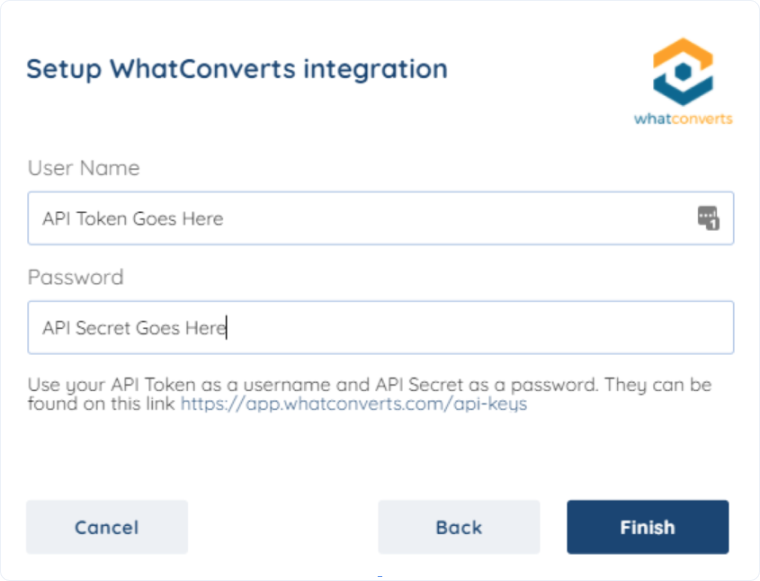
Your SyncSpider integration will now automatically sync data between WhatConverts and your connected platform based on your project configuration.
Related Topics
Was this page helpful?
Get a FREE presentation of WhatConverts
One of our marketing experts will give you a full presentation of how WhatConverts can help you grow your business.
Schedule a Demo






