


Send Lead Data from WhatConverts to Housecall Pro
Sending new leads from WhatConverts to Housecall Pro automatically creates customer records in your field service management system, eliminating manual data entry and ensuring every tracked lead becomes a customer in your database. This workflow captures rich marketing attribution data in WhatConverts and pushes it along with contact details into Housecall Pro.
This integration uses Zapier to monitor for new leads in WhatConverts and automatically creates corresponding customer records in Housecall Pro. You can map any fields from WhatConverts to fields in Housecall Pro, including marketing source data, contact information, and custom fields.
Before You Begin
Make sure you have already connected WhatConverts and Housecall Pro through Zapier. If you haven't set up the connection yet, follow the instructions in Connect WhatConverts to Housecall Pro.
Set Up the Lead to Customer Workflow
Follow these steps to send new leads from WhatConverts to Housecall Pro:
- Log in to your Zapier account and click "+ Create". Then select “Zap”.
- For the Trigger, search for and select "WhatConverts".
- Choose "New Lead" as your trigger event.
- Connect your WhatConverts account by entering your API key if you haven't already.
- Configure any filters if you only want specific types of leads sent to Housecall Pro (for example, only phone calls or only leads from certain campaigns). Test the trigger to verify it successfully retrieves lead data from WhatConverts.
- For the Action, search for and select "Housecall Pro".
- Choose "Create Customer" as your action event.
- Connect your Housecall Pro account using your API key if you haven't already.
- Map the fields from WhatConverts to the corresponding fields in Housecall Pro.
- Test the action to ensure the customer is created correctly in Housecall Pro, then publish your Zap to begin automatically creating customers from new leads.
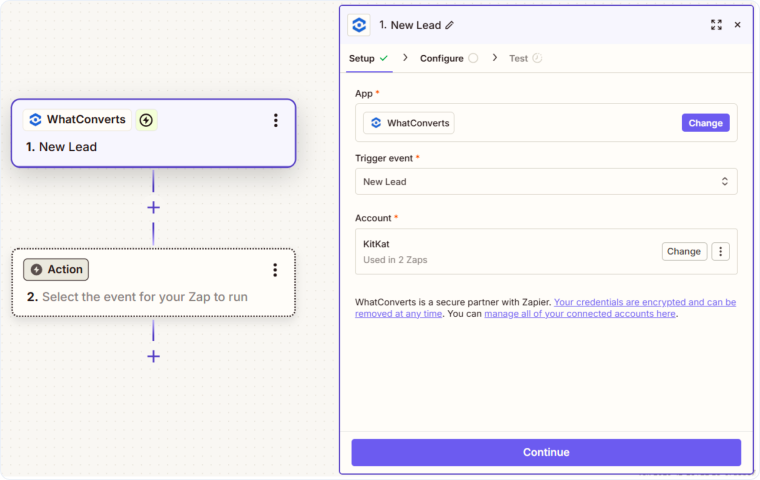
Once activated, every time a new lead is created in WhatConverts, a customer record will be automatically created in Housecall Pro with all the information you mapped.
Note: First Name is a required field in Housecall Pro.
Field Mapping Flexibility
WhatConverts captures extensive data about each lead, including marketing attribution, device information, and custom fields. When sending leads to Housecall Pro, you can map any of these fields to compatible fields in Housecall Pro's customer records, ensuring you don't lose valuable information during the transfer.
Related Topics
Get a FREE presentation of WhatConverts
One of our marketing experts will give you a full presentation of how WhatConverts can help you grow your business.
Schedule a Demo






