















































Generate a Master API Key
A Master API Key allows you to access lead data across all accounts within your Master Account through a single set of credentials. This is useful for agencies managing multiple client accounts or businesses that need centralized API access to all their profiles.
Generate a Master API Key
To create a Master API Key:
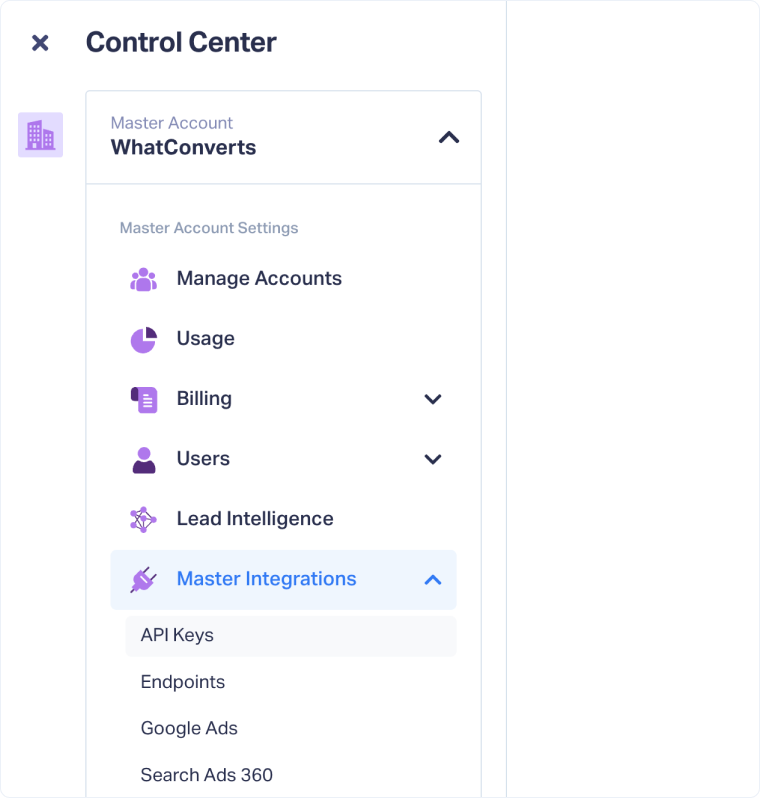
- Select "Master Integrations" from the Master Account Settings.
- Scroll to the API Keys section.
- Click "Connect".
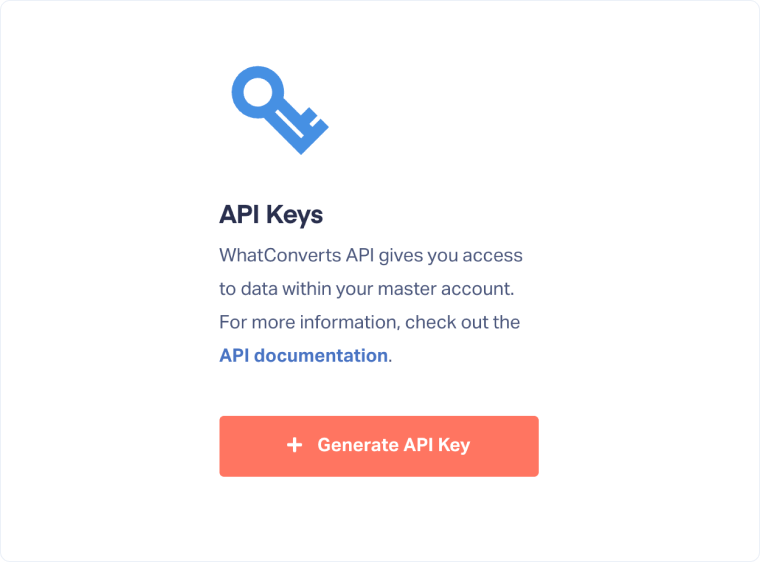
- Click "Generate API Key".
- Click the lock icon to reveal your API Secret.
- Copy both the API Token and API Secret and store them securely for your integration project.
Once generated, you can use this Master API Key to authenticate API requests across all accounts in your Master Account.
Related Topics
Was this page helpful?
Get a FREE presentation of WhatConverts
One of our marketing experts will give you a full presentation of how WhatConverts can help you grow your business.
Schedule a Demo






