


Set Up the JobNimbus Integration
The JobNimbus integration allows you to track Jobs and Invoices created in JobNimbus as leads in WhatConverts. This helps you connect completed work and revenue back to your marketing efforts.
Add the JobNimbus Integration
To add the JobNimbus integration:
- Go to your Profile.
- Select “Tracking”, then “Integrations”.
- Under “CRMs”, select “JobNimbus”.
- Click “Add Connection”.
- Enter your JobNimbus API Key.
- Click “Next Step”.
- Select the lead types you want to track:
- Invoices
- Jobs
- Click “Finish.”
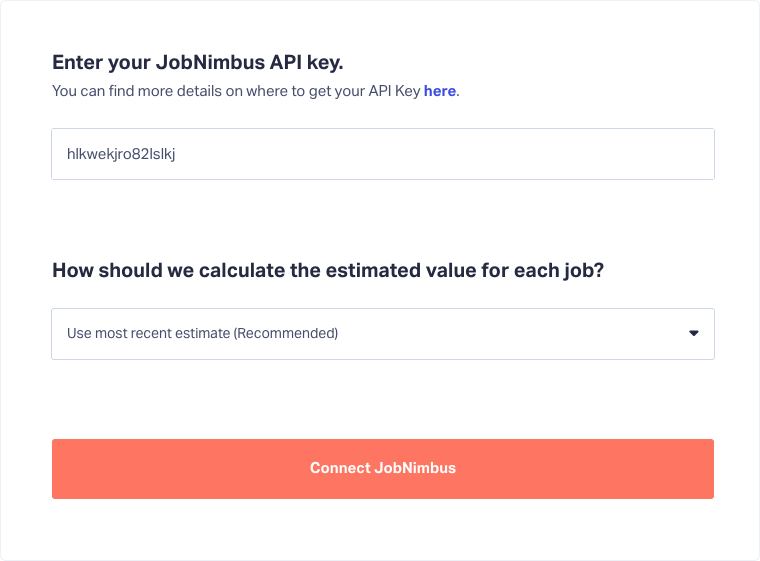
Note: In WhatConverts, Invoices are recorded as Transaction leads, and Jobs are recorded as Appointment leads. Estimate totals are used to calculate Quote Value for Appointment leads.
Create Your JobNimbus API Key
To create your API key:
- Log in to JobNimbus.
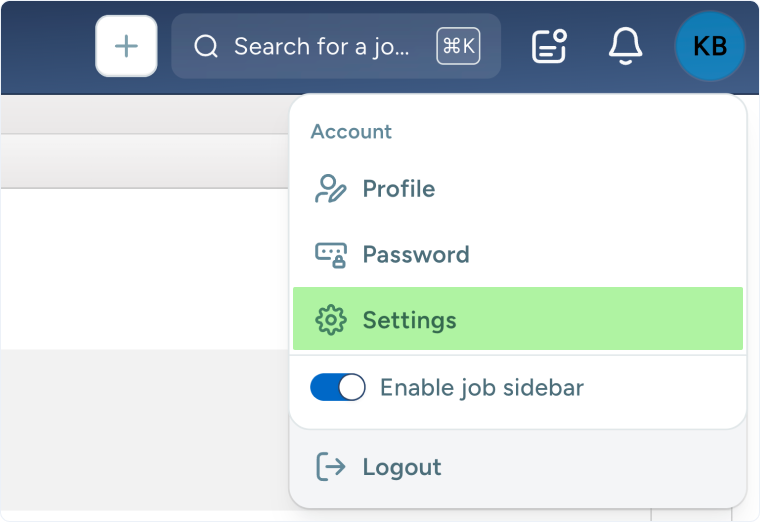
- Click the profile icon in the corner of your screen and select “Settings”.
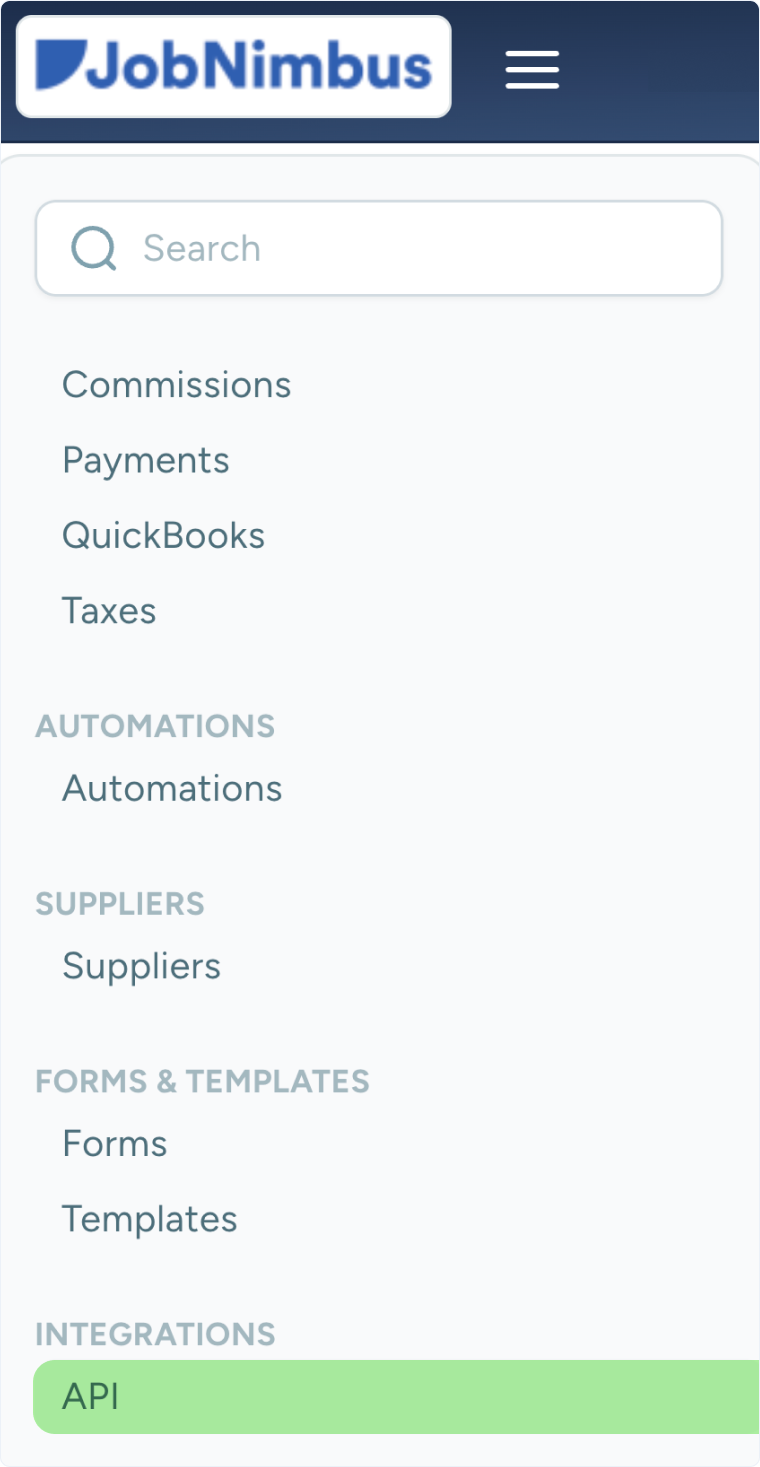
- Under “Integrations”, click “API”.
- Click “New API Key”.
- Enter a name for the key.
- Select “Admin” as the profile.
- Click “Save”.
- Copy the API key.
- Paste it into the “JobNimbus API Key” field in WhatConverts.
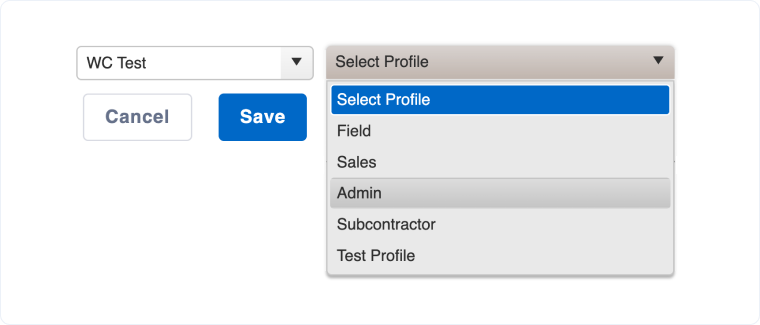
Note: You must select “Admin” as the profile.
How the Integration Works
Once connected:
- New Jobs and Invoices created in JobNimbus are automatically recorded as leads in WhatConverts.
- It may take a few minutes for new leads to appear after they are created in JobNimbus.
Recorded Lead Information
Appointments (Jobs)
- Appointment Time
- First Name
- Last Name
- Job Name
- Job Type
- Street Address
- City
- State
- Postal Code
- Country
Transactions (Invoices)
- Sales Value
- Order ID
- First Name
- Last Name
- Job Name
- Job Type
- Street Address
- City
- State
- Postal Code
- Country
Note: Transactions (Invoices) are automatically marked as Quotable in WhatConverts.
Related Topics
Was this page helpful?
Get a FREE presentation of WhatConverts
One of our marketing experts will give you a full presentation of how WhatConverts can help you grow your business.
Schedule a Demo






